
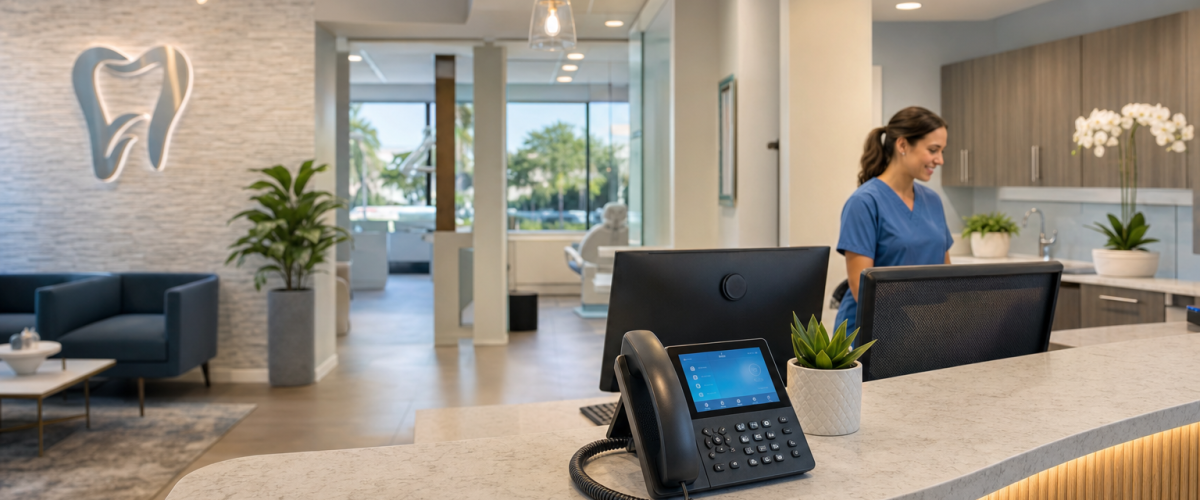
HIPAA Cloud Phone Setup for Orlando Dental Offices
Setting up an Orlando dental practice HIPAA-compliant cloud phone system is one of the most important steps a dental office can take to protect patient data and stay on the right side of federal law. Phone calls that touch appointment details, billing questions, or treatment information can carry protected health information (PHI), and a standard business phone system is not built to handle that responsibly. At Mynians, we work directly with Florida dental practices to deploy hosted VoIP platforms that meet HIPAA requirements from day one.
This guide is written for Orlando dental office managers, practice owners, and operations leads who are evaluating or planning a move to a cloud phone system. The information reflects current HIPAA Security Rule requirements and practical VoIP deployment experience from our team at Mynians. We do not provide legal advice; consult your compliance counsel for practice-specific guidance.
Why Orlando Dental Practices Need a HIPAA-Compliant Cloud Phone System
Orlando is one of Florida’s fastest-growing metro areas, and dental practices here face the same federal HIPAA obligations as any covered entity in the country. The difference is that a growing patient base, multiple front desk staff, and high call volume make the risk of a PHI exposure through the phone system more likely, not less. Standard consumer or small-business VoIP services are not designed with HIPAA in mind. They may lack encryption, offer no audit logs, and will not sign a BAA, which means using them for patient calls puts your practice in violation.
A purpose-configured HIPAA compliant phone system for dental offices solves this by building compliance into the platform itself rather than treating it as an afterthought. Our team at Mynians configures hosted PBX systems specifically for dental workflows, including appointment scheduling queues, billing department extensions, and after-hours emergency routing, all on an encrypted, BAA-covered platform.
The FCC’s overview of VoIP regulation makes clear that VoIP providers operate under a distinct regulatory framework, and healthcare-adjacent uses add HIPAA obligations on top of that. Understanding both layers is essential before selecting any cloud phone platform for a dental office.
What HIPAA Compliance Means for Dental Office Phone Systems
HIPAA compliance for a dental phone system is not a single checkbox. The HHS HIPAA Security Rule requires covered entities and their business associates to implement administrative, physical, and technical safeguards for any system that creates, receives, maintains, or transmits electronic PHI. A cloud phone system that records calls, stores voicemails, or routes patient information digitally falls squarely within that definition.
For dental offices, this means four things in practice. First, your VoIP provider must sign a BAA before you go live. Second, voice data must be encrypted in transit and at rest. Third, access to call recordings and voicemail must be role-restricted so that only authorized staff can retrieve patient-related messages. Fourth, the system must generate audit logs that can be reviewed if a complaint or breach investigation occurs. Any provider that cannot meet all four of these requirements should not be handling your dental practice’s phone traffic.
Core Features to Require Before You Choose a Provider
When evaluating a cloud phone system for your Orlando dental office, the following features are non-negotiable from a HIPAA standpoint. Do not accept a provider’s verbal assurance that they are “HIPAA-ready” without documentation.
- Signed Business Associate Agreement: Must be executed before any patient-related call traffic moves through the system.
- Encrypted voice transmission (TLS/SRTP): Protects call audio from interception in transit.
- Encrypted voicemail storage: Voicemails containing patient information must be stored with encryption at rest.
- Role-based access controls: Front desk, billing, and clinical staff should have access only to the extensions and recordings relevant to their role.
- Audit logging: The system must log who accessed call recordings or voicemail, and when.
- E911 registration: Required by the FCC for any VoIP system; especially important for multi-operatory dental offices where an emergency could occur anywhere on the premises. See the FCC’s guide on VoIP and 911 service for requirements.
- Reliable broadband baseline: HIPAA-compliant VoIP requires a stable, adequately provisioned internet connection. The FCC broadband speed guide can help you assess whether your current connection is sufficient.
Mynians provides all of these features as part of our hosted PBX service for Florida dental offices. Contact our Florida VoIP team to review your current setup and identify any compliance gaps before your next billing cycle.
Step-by-Step HIPAA-Compliant Cloud Phone System Setup
The following steps reflect the deployment process our team uses when onboarding a dental practice onto a HIPAA-compliant hosted PBX platform. The sequence matters because skipping steps, particularly the BAA and access control configuration, creates compliance exposure even if the rest of the system is correctly installed.
- Execute the BAA first. Before porting any numbers or configuring any extensions, obtain and sign the Business Associate Agreement from your VoIP provider. This is a legal prerequisite, not an administrative formality.
- Audit your current call traffic. Document which calls touch PHI: appointment confirmations, billing inquiries, treatment follow-ups, and prescription-related calls. This determines which extensions and call recordings require the highest level of access control.
- Map your extension structure. Assign extensions by role: front desk, scheduling, billing, clinical coordinator, and office manager. Avoid shared extensions where possible.
- Configure role-based access controls. Restrict voicemail and call recording access to the roles that need it. Billing staff should not have access to clinical call recordings, and vice versa.
- Enable encryption settings. Confirm TLS signaling and SRTP media encryption are active on every extension. Your provider should be able to verify this in writing.
- Register E911 locations. For multi-suite or multi-floor offices, register each physical location so that emergency calls route correctly.
- Test before go-live. Run a full call flow test covering inbound patient calls, transfers, voicemail deposit and retrieval, and after-hours routing. Document the results.
Common Setup Mistakes That Put Patient Data at Risk
Even well-intentioned dental offices make avoidable errors during cloud phone system setup. These are the most common ones we see when practices come to us after a failed or non-compliant deployment.
- Going live without a signed BAA. This is the single most common and most serious mistake. Using a VoIP system for patient calls without a BAA in place is a HIPAA violation regardless of how secure the technology is.
- Using a shared voicemail box. A single voicemail inbox accessed by multiple staff members with one password cannot be audited and cannot be access-controlled. It must be replaced with individual mailboxes.
- Skipping encryption verification. Providers may offer encryption as an option rather than a default. Confirm in writing that TLS and SRTP are active, not just available as an option.
- Failing to train staff on PHI phone protocols. HIPAA requires workforce training. Staff must know what information can and cannot be left in a voicemail, how to verify caller identity before discussing patient details, and how to handle misdirected calls.
- Not updating E911 registration after a move or expansion. If your practice adds a suite or relocates, E911 registration must be updated immediately.
How to Configure Call Flows for Front Desk, Billing, and Emergencies
A well-designed call flow is both a patient experience improvement and a compliance tool. When calls are routed correctly, PHI is less likely to be handled by staff who are not authorized to receive it. Here is how we recommend structuring call flows for a typical Orlando dental office.
Front desk queue: Inbound calls should reach a live receptionist during business hours. If all front desk lines are busy, calls should queue with a hold message rather than rolling to a general voicemail box. Queue recordings should be access-restricted to the front desk supervisor.
Billing department: Billing inquiries should route to a dedicated billing extension or ring group, not through the front desk. This keeps financial PHI separate from scheduling conversations and simplifies audit log review.
After-hours and emergency routing: After-hours calls should reach a recorded message with clear instructions. True dental emergencies should have a direct path to an on-call provider, either through a forwarded mobile number or an answering service that has also signed a BAA.
The HHS HIPAA security guidance library includes resources on access controls and audit controls that apply directly to how call flow access should be structured.
Migration, Training, and Go-Live Planning for Dental Teams
The technical setup of a HIPAA-compliant cloud phone system is only half the work. The other half is making sure your team can use it correctly from day one. A system that is technically compliant but operationally confusing will generate workarounds, and workarounds create compliance gaps.
Plan your migration in three phases. In the first phase, run the new system in parallel with your existing phones for at least one week. This lets staff practice without patient calls being affected. In the second phase, port your main practice number to the new system and route live calls through it while keeping the old system available as a fallback. In the third phase, decommission the old system only after confirming that all call flows, voicemail access, and recording retrieval are working correctly.
Training should cover four topics: how to transfer calls without exposing PHI to unintended parties, what information can be left in a voicemail versus what requires a callback, how to retrieve and delete voicemails securely, and who to contact if a call is misdirected or a potential breach occurs. Document that training occurred and retain those records as part of your HIPAA compliance documentation.
Update Log
- May 2026: Article published covering HIPAA cloud phone setup requirements for Orlando dental offices, including BAA requirements, call flow configuration, and migration planning guidance aligned with current HHS Security Rule guidance.
Frequently Asked Questions
Does a dental office need a BAA with its VoIP provider?
Yes. Any VoIP provider that handles calls containing protected health information for a dental practice is a business associate under HIPAA and must sign a Business Associate Agreement before the system goes live. Using a VoIP service without a signed BAA is a HIPAA violation.
What encryption standards are required for a HIPAA-compliant dental phone system?
Voice calls must use TLS (Transport Layer Security) for signaling and SRTP (Secure Real-time Transport Protocol) for media encryption. Voicemail storage must also be encrypted at rest. Confirm these are active by default, not just available as an option.
Can a dental office use a standard business VoIP service for patient calls?
Not if those calls involve PHI. Standard business VoIP services typically do not offer BAA agreements, encrypted voicemail storage, or audit logging. A HIPAA-configured platform like the one Mynians provides for Florida dental offices is required.
How long does it take to set up a HIPAA-compliant cloud phone system for a dental office?
Most dental office deployments take one to three weeks from signed quote to go-live, depending on the number of extensions, call flow complexity, and whether number porting is required. Running a parallel test period before full cutover is strongly recommended.
What happens to call recordings under HIPAA?
Call recordings that contain PHI must be stored with encryption, access-restricted to authorized staff, and subject to audit logging. Retention periods should align with your practice’s HIPAA records retention policy, which in Florida is generally a minimum of five years for adult patients.
Does E911 registration apply to dental office VoIP systems?
Yes. The FCC requires VoIP providers to support E911 for business customers. Dental offices with multiple suites or floors should register each physical location separately so that emergency calls route to the correct address. Mynians handles E911 registration as part of every hosted PBX deployment.
What internet speed does a dental office need for cloud VoIP?
Each active VoIP call typically requires 100 kbps of dedicated bandwidth in each direction. A dental office with ten concurrent calls needs at least 1 Mbps reserved for voice, plus additional capacity for other office systems. The FCC broadband speed guide provides a useful baseline for planning.