


VoIP Failover for Florida Business Outages
Florida businesses face a reality most national phone vendors gloss over: internet goes down, power goes out, and hurricanes do not wait for a convenient maintenance window. If your phone system dies when your connection does, you are not just losing calls — you are losing customers, revenue, and trust. This guide covers exactly how VoIP failover works, what options actually protect Florida businesses, and how to build a phone system that keeps working when everything else stops.
Why Failover Matters for Florida Businesses
Florida is not a typical telecom environment. Between June and November, hurricane season brings the real possibility of extended power outages, flooded infrastructure, and ISP disruptions that can last days. Outside of storm season, afternoon thunderstorms routinely knock out power for minutes or hours across the Orlando metro, Tampa Bay, South Florida, and the Panhandle. Businesses that rely on a single internet connection and a phone system with no failover plan find out the hard way that “the phones are down” is not an acceptable answer to a customer calling with an urgent need.
The problem is compounded when businesses use a hosted VoIP system without understanding what actually happens during an outage. The cloud PBX itself may stay online — the provider’s data centers are running — but if your office internet connection is down, your desk phones cannot reach those servers. Without a failover path, calls ring to nothing or drop to a generic voicemail box that nobody monitors.
This is not a theoretical risk. It is a regular operational problem for Florida businesses that have not built redundancy into their phone system design from the start.
Failover Options Compared
Before diving into implementation, here is an honest look at how different phone system approaches handle outages. This comparison is designed to help Florida business owners make an informed decision, not to oversell any single option.
| Option | Outage Behavior | Failover Capability | Local Support | Typical Cost Signal |
|---|---|---|---|---|
| Mynians VoIP (Hosted Cloud PBX) | Cloud routing stays live; desk phones need backup internet or mobile failover | LTE failover, mobile softphones, call forwarding — all configurable | Orlando-based local team, not a call center | From $17.95/line/month; see pricing page |
| RingCentral | Cloud routing stays live; same desk-phone dependency | Mobile app available; failover config is self-service | National call center support | Higher per-line cost; annual contracts common |
| Nextiva | Cloud routing stays live; same dependency | Mobile app available; failover requires self-configuration | National call center support | Bundled pricing; contract terms vary |
| AT&T Business (hosted) | Varies by product; some POTS fallback available | Limited; depends on service tier | Regional reps; escalation to national support | Higher entry cost; multi-year contracts typical |
| Legacy On-Premise PBX | Fails completely if power or internet is lost without generator and POTS backup | Minimal without significant hardware investment | Depends on local vendor relationship | High upfront hardware cost; ongoing maintenance |
| DIY Softphone Apps | Works on mobile data if office internet is down | Basic; no centralized routing or queue management | None — self-managed | Low cost; high management burden |
The key insight from this table: the cloud PBX itself surviving an outage is not enough. Your office equipment still needs a path to reach it. That path is what failover planning actually addresses.
Who This Is For (and Who It Is Not)
This guide is for you if:
- You run a Florida business with five or more phone lines and cannot afford to go dark during an outage.
- You are in a customer-facing industry — medical office, law firm, real estate, retail, logistics, or professional services — where a missed call has a direct dollar cost.
- You have multiple locations across Florida and need consistent call handling even when one site loses connectivity.
- You are approaching hurricane season and realize your current phone setup has no backup plan.
- You are already on hosted VoIP but have never tested what actually happens when your internet goes down.
This guide is NOT for you if:
- You are a solo operator with one line and a cell phone as your primary business number — a simple call-forwarding rule to your mobile is sufficient.
- You are looking for a general VoIP troubleshooting guide for dropped calls caused by QoS or codec issues rather than outage scenarios.
- You are in a building with a managed IT provider who has already designed and tested a full redundancy plan — confirm with them first before adding layers.
Backup Internet and LTE Failover
The most reliable failover layer for a Florida business phone system is a secondary internet connection that activates automatically when the primary fails. There are two practical approaches:
Dual-ISP Failover
This means contracting with two separate internet service providers — for example, a fiber connection as primary and a cable or fixed-wireless connection as secondary. A failover-capable router monitors both connections and switches traffic to the secondary within seconds of detecting a primary failure. For businesses in Orlando, Tampa, Miami, or Jacksonville, this is often the most stable option because multiple ISPs serve those markets with competitive pricing.
The critical detail: the two connections must come from physically separate infrastructure. Two circuits from the same provider running on the same fiber conduit do not protect you if that conduit is cut or the provider’s local node goes down.
LTE or 5G Cellular Failover
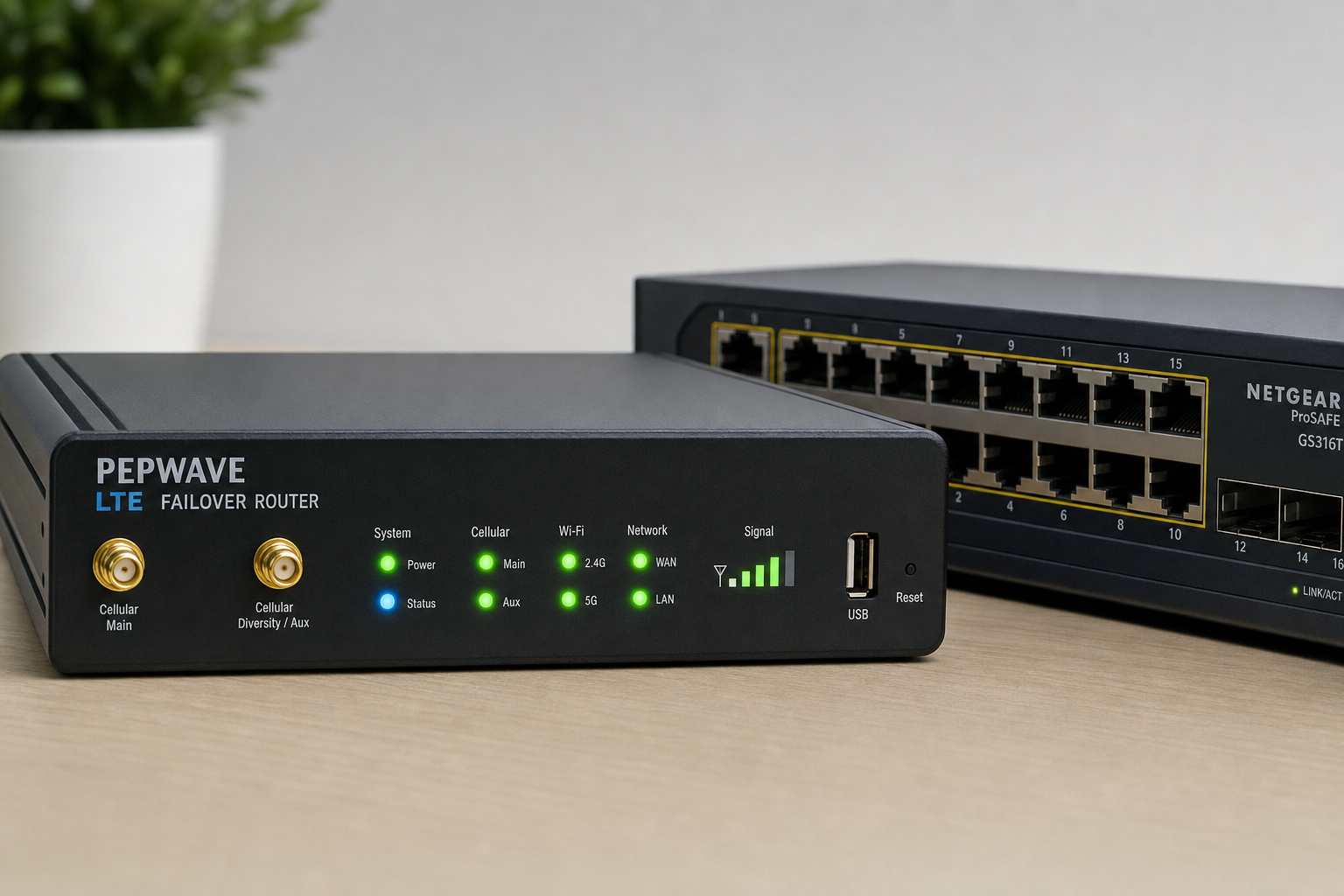
A cellular failover router — a device with a SIM card that connects to LTE or 5G networks — provides a backup path that is completely independent of your wired ISP. When the primary connection drops, the router switches to cellular automatically. Call quality on LTE is generally sufficient for VoIP during an outage, though bandwidth is shared with other cellular users in the area, which can be a factor during a major storm when many businesses are simultaneously failing over to cellular.
For businesses in areas with strong cellular coverage — most of the Florida metro markets — LTE failover is a practical and cost-effective redundancy layer. The FCC’s network outage reporting data consistently shows that cellular networks maintain higher availability during localized outages than wired infrastructure, making this a sound continuity choice.
Router Configuration Matters
A failover router that is not properly configured for VoIP traffic can cause call quality problems even when the failover itself works. Quality of Service (QoS) rules need to be applied to the backup connection just as they are on the primary, prioritizing voice packets over general data traffic. This is a configuration step that is easy to miss and one that Mynians handles as part of a complete failover setup.
Mobile Failover and Softphones
Even with backup internet in place, there are scenarios — extended power outages, building evacuations, storm damage — where your office is simply not accessible. Mobile failover addresses this by extending your business phone system to smartphones and laptops so your team can keep working from anywhere.
Mobile Softphones
A softphone is an application that runs on a smartphone or computer and connects to your hosted PBX over any internet connection, including cellular data. When configured correctly, a softphone presents your business caller ID, rings as part of your call queues, and gives employees access to transfer, hold, and voicemail features — exactly as if they were sitting at their desk phone.
Mynians VoIP includes mobile and desktop softphone capability across its service plans. During an outage, employees who have the softphone app installed and configured can continue handling calls from home, a coffee shop, or anywhere with cellular coverage — without customers knowing anything has changed.
Ring Groups and Simultaneous Ring
A well-designed failover configuration uses ring groups that include both desk phones and mobile softphones. When the office is unreachable, calls automatically ring the mobile devices in the group. This requires no manual intervention from staff — the system handles it based on pre-configured rules.
Call Forwarding and Routing Rules
Call forwarding is the simplest failover layer and the one most businesses overlook until they need it. In a hosted VoIP system, forwarding rules live in the cloud — not on your desk phones or your office router. That means they work even when your office is completely offline.
What to Configure Before an Outage
- Unreachable forwarding: If a desk phone does not answer within a set number of rings, the call forwards to a mobile number or a different extension. Configure this for every line, not just the main number.
- Failover auto-attendant message: Pre-record an alternate auto-attendant greeting that plays during declared outages, directing callers to mobile numbers or alternate contact methods.
- Voicemail-to-email: Ensure all voicemail boxes are configured to send audio files to monitored email addresses. During an outage, staff checking email on mobile devices can respond to voicemails even without phone access.
- After-hours routing: Many Florida businesses discover during a storm that their after-hours routing was never properly set up. Test it before hurricane season, not during.
Multi-Location Routing
For businesses with offices in multiple Florida cities — for example, a main office in Orlando and a satellite location in Tampa — a hosted PBX can route calls to whichever location is currently reachable. If the Orlando office loses internet, inbound calls can automatically route to Tampa staff. This requires deliberate configuration but is straightforward in a properly designed cloud PBX.
Power-Loss Planning
Internet failover and mobile softphones solve the connectivity problem, but power loss creates a separate hardware problem. Your router, PoE switch, and desk phones all need electricity to operate. Without power, even a working cellular failover router cannot function.
Uninterruptible Power Supplies (UPS)
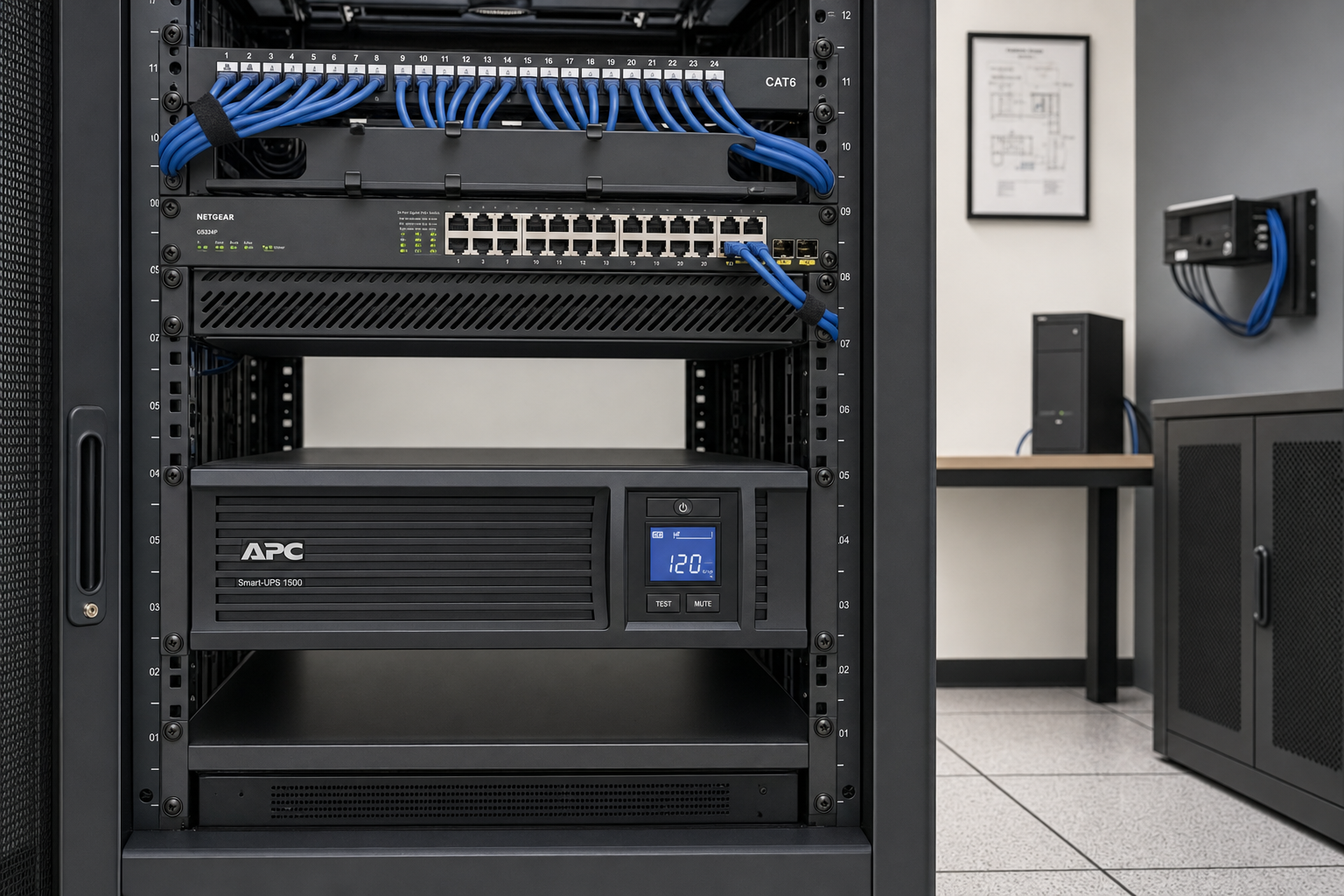
A UPS unit — essentially a battery backup — keeps your network equipment running during short outages. For most Florida businesses, a UPS sized to power the router, PoE switch, and any critical network gear for 30 to 60 minutes covers the majority of brief outages caused by thunderstorms or grid fluctuations. For extended outages, a generator is required.
The Cybersecurity and Infrastructure Security Agency (CISA) includes power continuity planning as a core component of business continuity guidance for organizations that depend on internet-connected communications systems. Applying that framework to your phone system means treating the UPS as a required component, not an optional upgrade.
PoE Phones and Power Planning
Most modern VoIP desk phones are powered over Ethernet (PoE), drawing power from the network switch rather than a wall outlet. This simplifies power planning: if your PoE switch is on a UPS, your phones stay powered as long as the switch does. Verify that your UPS is sized to handle the combined load of your switch and all connected phones.
Generator Integration
For businesses in hurricane-prone areas — coastal Florida markets, areas with older utility infrastructure — a standby generator that powers the network closet is a serious continuity investment. Mynians, as a full-service Florida technology company, also handles structured cabling and network closet design, which means generator integration planning can be part of a complete site readiness review rather than a separate project.
How Mynians Implements Failover for Florida Businesses
When a Florida business works with Mynians VoIP on a failover configuration, the process is practical and local — not a remote ticket queue with a national call center.
Site Readiness Review
Before any configuration work, the Mynians team reviews the physical site: existing internet connections, router and switch hardware, network closet layout, and power infrastructure. This identifies gaps before they become outage problems.
Failover Router Configuration
If a secondary internet connection or LTE failover router is needed, Mynians handles the configuration including QoS rules for voice traffic, failover thresholds, and testing under simulated outage conditions.
Cloud PBX Routing Rules
All forwarding rules, ring groups, auto-attendant failover messages, and voicemail-to-email settings are configured in the hosted PBX. These are tested before go-live, not discovered during an actual outage.
Mobile Softphone Deployment
Staff who need mobile failover capability get the softphone app installed and configured on their devices, with credentials tested on cellular data — not just on the office Wi-Fi — before the setup is considered complete.
Install Timeline
For sites that are network-ready, Mynians completes installs within 72 hours across major Florida markets including Orlando, Winter Garden, Tampa, Miami, and Jacksonville. Number porting is handled end-to-end — businesses do not need to coordinate between carriers or worry about porting errors leaving them without a number.
Plans start at $17.95 per line per month for the Essential tier (five-line minimum), $27.95 for Professional, and $32.99 for Enterprise (ten-line minimum), all on month-to-month terms with no contracts. Exact savings compared to your current setup are confirmed on the free consultation call. See the full Mynians VoIP pricing page for current details.
Frequently Asked Questions
What happens to my VoIP calls when my internet goes down?
If your office internet goes down and you have no failover configuration, your desk phones lose their connection to the hosted PBX and calls cannot complete. The cloud PBX itself stays online, but your phones cannot reach it. With a properly configured failover setup — a backup internet connection, LTE failover router, or mobile softphones — calls continue routing through the alternate path automatically. Pre-configured forwarding rules in the cloud PBX can also redirect inbound calls to mobile numbers so callers never reach a dead line.
Does a hosted VoIP system work during a power outage?
The cloud PBX and call routing logic survive a power outage at your office because they run in remote data centers. However, your physical desk phones, router, and network switch all need power to operate. Without a UPS or generator, those devices go offline and your phones stop working even though the cloud system is running. The solution is a UPS unit for your network equipment, which keeps the router and PoE switch powered during short outages, combined with mobile softphones for staff who need to keep working during extended outages.
How does LTE failover work for a business phone system?
An LTE failover router contains a cellular SIM card and monitors your primary internet connection continuously. When it detects the primary connection has failed, it automatically switches your network traffic to the cellular connection within seconds. Your VoIP phones and softphones then reach the hosted PBX over cellular data instead of your wired ISP. Call quality on LTE is generally sufficient for voice calls, though it can be affected by cellular network congestion during major storm events when many users are simultaneously on cellular. QoS configuration on the failover router helps prioritize voice traffic.
Can my employees take business calls on their cell phones during an outage?
Yes, with mobile softphones configured as part of your hosted VoIP system. A softphone app on a smartphone connects to your cloud PBX over any internet connection, including cellular data. Employees can answer calls, transfer callers, access voicemail, and present your business caller ID — all from their personal or company-issued smartphones. This requires the app to be installed, configured, and tested on cellular data before an outage occurs. Mynians VoIP includes softphone capability across its service plans and handles the configuration as part of setup.
How long does it take Mynians to set up a VoIP failover configuration?
For sites that are network-ready, Mynians completes installs within 72 hours across major Florida markets including Orlando, Winter Garden, Tampa, Miami, and Jacksonville. If additional network infrastructure work is needed — such as a new failover router, UPS installation, or cabling — the timeline depends on the scope of that work. The free consultation call is the right place to assess your site’s readiness and get an accurate timeline for your specific situation.
What does Mynians VoIP cost and are there contracts?
Mynians VoIP plans start at $17.95 per line per month for the Essential tier with a five-line minimum, $27.95 per line for Professional, and $32.99 per line for Enterprise with a ten-line minimum. All plans are month-to-month with no contracts. Number porting is included end-to-end. Exact savings compared to your current phone bill are confirmed on the free consultation call. Current pricing details are available on the Mynians VoIP pricing page.
Update Log
- August 2026: Created and reviewed for Mynians VoIP business phone system accuracy.



Post a Comment