


How to Set VoIP Call Routing Rules for a Florida Office
If callers are hitting dead ends, bouncing between departments, or landing in voicemail during business hours, your call routing rules need work. This guide walks Florida office managers and business owners through the practical decisions behind business VoIP call routing rules — covering business-hours schedules, ring groups, overflow destinations, and missed-call reduction — without the jargon.
Who This Is For — and Who It Is Not
This guide is for you if:
- You manage a Florida office with 5 or more phone lines across sales, support, or operations.
- Callers regularly reach voicemail during business hours or get transferred to the wrong department.
- You are moving off a legacy PBX, a carrier landline bundle, or a national VoIP provider with poor local support.
- You need routing that works across multiple locations — Orlando, Tampa, Miami, Jacksonville, or Winter Garden.
- You want a setup that holds up during Florida’s hurricane season when power and connectivity can be unpredictable.
This guide is NOT for you if:
- You are a solo operator with one or two lines and no department structure.
- You already have a working VoIP system with documented routing rules and just need minor tweaks.
- You are looking for a DIY softphone app with no managed support — that is a different conversation entirely.
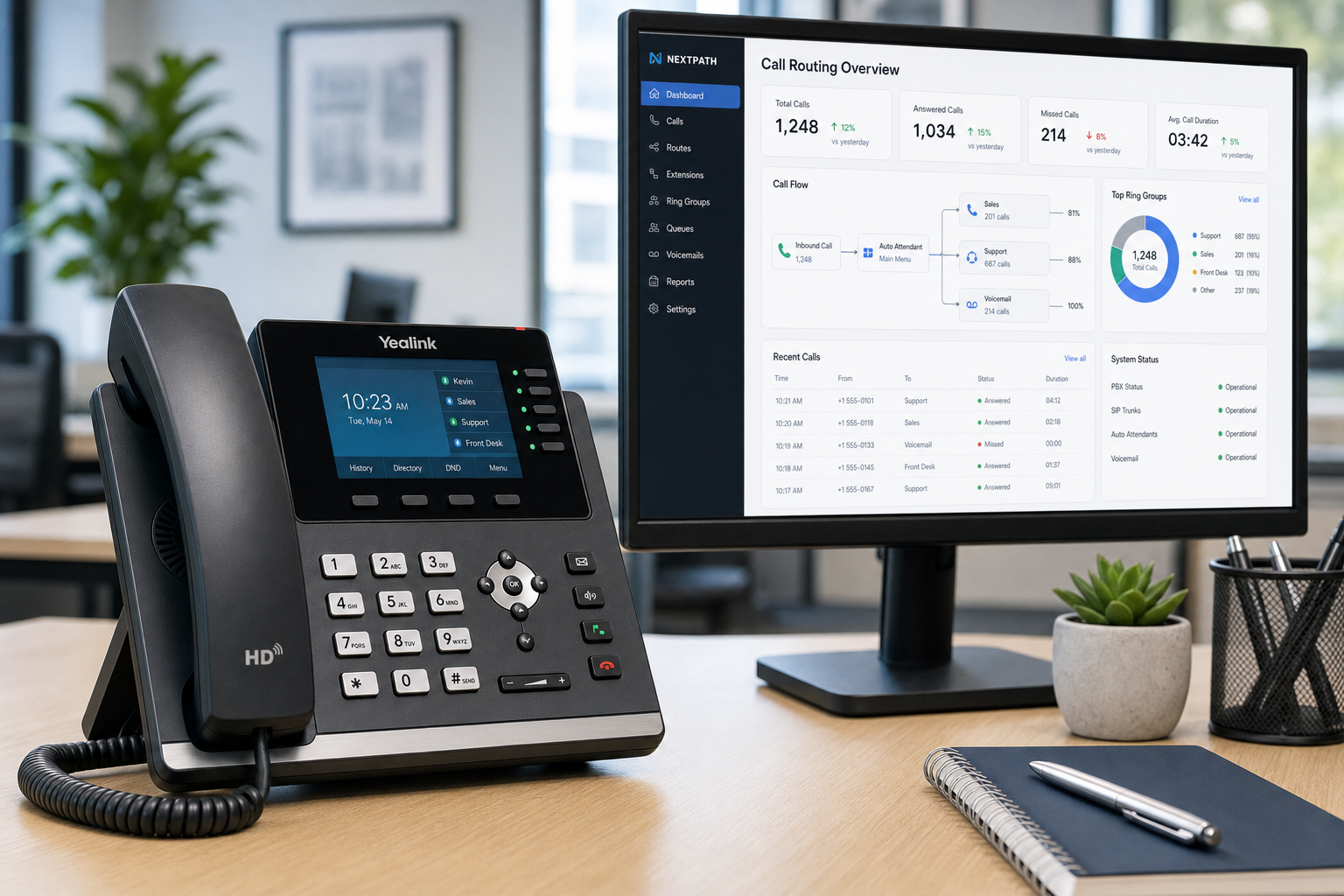
Provider Comparison at a Glance
Before diving into setup steps, here is an honest look at how your main options stack up for a Florida office that needs real routing control.
| Option | Routing Flexibility | Local Support | Install Timeline | Starting Price | Contract |
|---|---|---|---|---|---|
| Mynians VoIP | Full — schedules, ring groups, overflow, failover | Orlando-based team, not a call center | 72 hours when site is ready | $22.95 per licensed user/mo (5-line min) | Month-to-month |
| RingCentral | Full — but self-configured portal | National call center | Varies, often 2–4 weeks | Higher per-line tiers | Annual typical |
| Nextiva | Good — guided setup available | National support | Varies | Mid-range per line | Annual typical |
| AT&T Business | Limited on legacy plans | Regional, slow escalation | Often 3–6 weeks | Bundled, hard to parse | 1–2 year contracts common |
| Legacy PBX / Landline | Rigid — hardware changes required | Depends on local vendor | Weeks to months | High upfront hardware cost | Varies |
| DIY Softphone App | Minimal — no enterprise routing | None | Immediate but unsupported | Low or free | None |
The comparison above is meant to help you ask the right questions — not to make the decision for you. Confirm exact pricing and feature availability directly with any provider before committing.
Step 1 — Set Your Business-Hours Schedule
Every business VoIP call routing rule starts with a time-based schedule. Without one, your system cannot distinguish a Monday morning call from a Sunday night call — and it will treat them identically.
What to define in your schedule:
- Open hours: The days and times when live agents are available. Be precise — 8:30 AM to 5:30 PM Eastern is not the same as 9 to 5.
- Holiday closures: Florida offices often observe state and federal holidays differently. Build a holiday schedule separately so you are not manually changing routing every time.
- Lunch or reduced-staff windows: If your front desk is unstaffed from noon to 1 PM, that window needs its own routing rule or overflow path.
A hosted cloud PBX like Mynians VoIP stores these schedules in the system — no one has to remember to flip a switch. The routing changes automatically based on the clock.
Step 2 — Build Department Ring Groups
A ring group is a set of extensions that ring together or in sequence when a call comes in. For an office with sales and support, ring groups are how you stop every call from landing on the front desk and going nowhere useful.
Sales ring group
Include all active sales reps. Set the ring strategy to simultaneous (all phones ring at once) so the first available rep picks up. If no one answers within your defined ring timeout — typically 20 to 30 seconds — the call moves to your overflow destination.
Support ring group
Support calls often benefit from a sequential or round-robin ring strategy so calls are distributed evenly across agents rather than always hitting the same person first. Set a realistic ring timeout based on your team size.
What to avoid
- Do not put every extension in one giant ring group. It creates noise, burns out staff, and gives callers no sense of who they reached.
- Do not set ring timeouts longer than 30 seconds without an overflow rule. Callers hang up after about 20 seconds of ringing with no answer.
- Do not skip assigning a group owner or manager who can update the group when staff changes.
Step 3 — Configure Overflow Destinations
Overflow routing is what happens when a ring group does not answer in time or when all agents are busy. This is where most Florida offices leave money on the table — they set up ring groups but forget to define what happens next.
Practical overflow options
- Voicemail with email delivery: The call drops to a department voicemail box, and the recording is emailed to the group manager immediately. Mynians VoIP includes voicemail-to-email on all plans. This is the minimum acceptable overflow for any business line.
- Mobile softphone overflow: If a sales rep or manager has the Mynians softphone app on their mobile device, overflow calls can ring their cell without exposing a personal number. This works well for small teams where someone is almost always reachable.
- Secondary ring group: Overflow from sales can roll to a general support group as a backup. This keeps a live answer possible without requiring dedicated overflow staff.
Overflow for multi-location Florida offices
If you have offices in Orlando and Tampa, overflow from one location can route to available agents at the other. This is a practical way to reduce missed calls without hiring additional staff. Mynians VoIP handles multi-location routing as part of its standard hosted PBX configuration.
Step 4 — Define After-Hours Routing
After-hours routing is not optional for Florida businesses. Between extended customer hours, time-zone differences with clients in other states, and hurricane-season disruptions that can shift your operating schedule without warning, you need a defined after-hours path.
Standard after-hours setup
- Calls outside business hours route directly to a department voicemail or a general company voicemail with a clear recorded greeting that states your hours and any emergency contact option.
- Voicemail-to-email ensures the message reaches someone’s inbox within seconds, even if no one is in the office.
Failover routing for outages
Florida’s hurricane season is a real operational risk. If your office loses power or internet connectivity, calls should automatically failover to mobile softphones or an alternate number. Mynians VoIP includes failover and redundancy configuration — this is not an add-on you have to ask for separately. The FCC has published guidance on business continuity for communications systems, and failover routing is one of the most practical steps any Florida office can take before storm season.
After-hours routing designed to support a HIPAA compliance program
If your Florida office handles patient calls — medical practices, therapy offices, home health agencies — after-hours routing must meet HIPAA call-handling requirements. Mynians VoIP offers healthcare call-flow configurations designed to support a HIPAA compliance program. Confirm your specific requirements on the consultation call.
Step 5 — Reduce Missed Calls Systematically
Missed calls are not just a customer service problem — they are a revenue problem. Here are the practical levers that reduce missed calls without adding headcount.
Ring timeout tuning
Most offices set ring timeouts too long. A 45-second ring timeout means a caller waits nearly a minute before hitting voicemail. Set timeouts between 18 and 25 seconds for most ring groups. Callers who want to leave a message will stay on the line. Callers who hang up at 20 seconds were going to hang up at 45 seconds too.
Simultaneous ring to mobile
For sales teams especially, enabling simultaneous ring to a mobile softphone means a rep who stepped away from their desk can still answer. The caller never knows the difference, and the rep’s personal cell number stays private.
Voicemail-to-email response discipline
Routing voicemail to email is only useful if someone actually checks and responds. Assign a voicemail owner for each department group and set an internal response-time expectation. The technology handles delivery — the process handles follow-through.
Call reporting review
Hosted VoIP systems generate call logs that show missed calls by time of day, extension, and ring group. Review these monthly. If your support ring group misses 30% of calls between 4:30 and 5:30 PM, that is a staffing or routing problem you can actually fix once you can see it.
Common Routing Mistakes Florida Offices Make
Porting fear that delays the whole project
Many Florida businesses stay on bad phone systems because they are afraid of losing their number during a port. Number porting handled end-to-end is standard with Mynians VoIP — your existing numbers transfer without a gap in service when the process is managed correctly. The FCC requires carriers to complete ports within one business day for simple residential ports and within a few business days for business lines. A managed provider handles the paperwork and timing so you do not have to.
Routing built for the old office layout
If your team moved, added a department, or shifted to hybrid work and no one updated the routing rules, callers are hitting the wrong extensions or empty desks. Routing rules are not set-and-forget — they need a quarterly review.
No documentation of the routing logic
When the person who set up the system leaves, no one knows how it works. Mynians VoIP provides documented call flow configurations so your team is not dependent on one person’s memory.
Choosing a national provider for local problems
National VoIP providers can take weeks to provision a Florida office and route support tickets through call centers with no local context. When a routing rule breaks on a Monday morning, you need real techs with real answers — not a ticket number and a 48-hour callback window. That is the practical difference between a local provider and a national one.
If you are evaluating your options for Florida business VoIP, the routing configuration is one of the most important things to ask about before you sign anything.
Frequently Asked Questions
How long does it take to set up VoIP call routing rules for a Florida office?
With Mynians VoIP, installs across major Florida markets — Orlando, Tampa, Miami, Jacksonville, and Winter Garden — take as little as 72 hours when the site is ready. Routing configuration, ring groups, and overflow rules are set up as part of the install, not after. National providers often quote two to four weeks for the same work.
What is the difference between a ring group and a call queue?
A ring group rings a set of extensions simultaneously or in sequence and moves to overflow if no one answers within the timeout. A call queue holds callers in line with hold music or messaging while agents become available. Ring groups are better for small teams where someone is usually available. Call queues are better for high-volume support lines where callers expect to wait. This article focuses on ring groups and overflow — call queues are a separate configuration topic.
Will I lose my phone number when switching to VoIP?
No. Number porting is handled end-to-end by Mynians VoIP. Your existing business numbers transfer to the new system without a gap in service when the process is managed correctly. The FCC requires carriers to complete business line ports within a few business days. Mynians handles the paperwork, timing, and carrier coordination so your team does not have to.
What happens to calls during a Florida hurricane or power outage?
Mynians VoIP includes failover and redundancy configuration. If your office loses power or internet, calls can automatically route to mobile softphones or an alternate number. This is configured in advance — not scrambled together during a storm. It is one of the most practical reasons Florida businesses choose a hosted cloud PBX over a hardware-dependent legacy system.
How much does Mynians VoIP cost per licensed user?
Mynians VoIP plans start at $22.95 per licensed user per month for the Essential plan with a five-licensed-user minimum. The Professional plan is $29.95 per licensed user per month, and the Enterprise plan starts at $39.95 per licensed user per month with a ten-licensed-user minimum. All plans are month-to-month with no contracts. Exact savings compared to your current bill are best confirmed on the free consultation call, where the team reviews your current invoice line by line.
What happens on the free VoIP consultation call?
The Mynians VoIP team reviews your current phone bill, identifies what you are paying per line, and builds a line-by-line quote for comparison. They also ask about your routing needs — departments, staff count, locations, and after-hours requirements — so the quote reflects an actual configuration, not a generic package. There is no obligation and no sales pressure.
Update Log
- August 2026: Created and reviewed for Mynians VoIP business phone system accuracy.


