
Florida Healthcare VoIP HIPAA Checklist
If your Florida medical, dental, therapy, or specialty practice is evaluating a new phone system, the configuration details matter as much as the monthly price. This checklist walks practice managers through the specific VoIP settings, agreements, and call-handling policies that support HIPAA obligations — so your front desk is not the weakest link in your compliance posture.
Florida healthcare offices should verify that their VoIP provider signs a Business Associate Agreement (BAA), that call recordings and voicemails are encrypted and access-controlled, and that call routing, auto-attendants, and voicemail-to-email features are configured to avoid exposing protected health information. A provider that handles only the technology without addressing these configuration details leaves your practice exposed. healthcare VoIP starts with the right vendor relationship and the right setup — not just a hosted phone line.
- A signed BAA from your VoIP provider is a non-negotiable starting point for HIPAA-aligned phone handling.
- Call recordings and voicemails must be encrypted at rest and in transit, with access limited to authorized staff only.
- Auto-attendant scripts and voicemail-to-email settings can inadvertently expose protected information if not configured carefully.
- After-hours routing gaps are one of the most common compliance risks in Florida healthcare front desks.
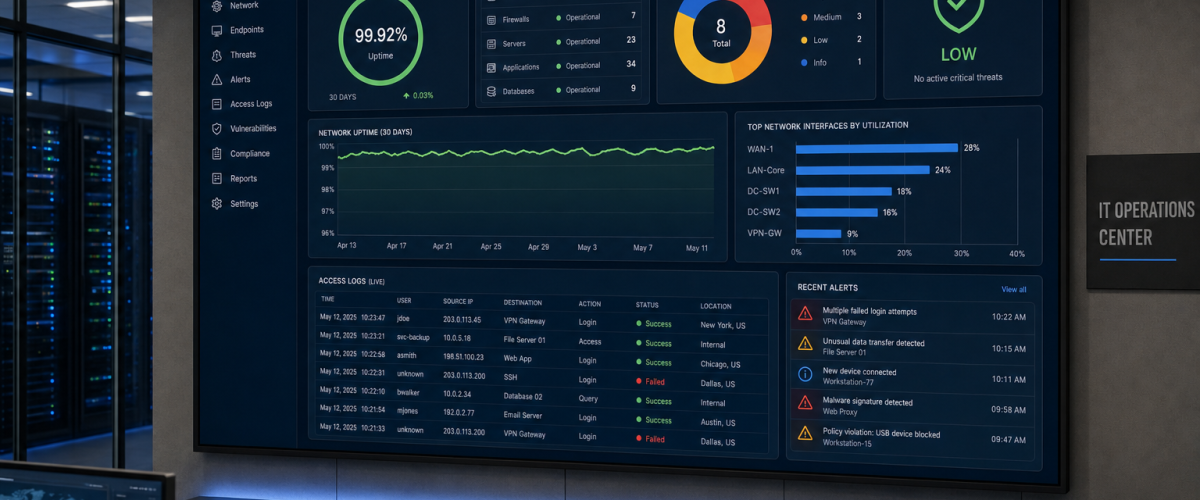
- Audit logs give your practice a record of who accessed call data and when — critical for any compliance review.
- Mynians VoIP offers healthcare call-flow configurations designed to support a HIPAA compliance program, local Florida support, and month-to-month plans from $22.95 per licensed user.
Who This Is For
This checklist is written for practice managers, office administrators, and operations leads at Florida medical offices, dental practices, behavioral health and therapy offices, and specialty clinics who are evaluating or auditing their current phone system. If your front desk handles appointment scheduling, insurance verification calls, or any conversation that touches patient information, this guide applies to your operation.
It is also useful if you are currently on a legacy landline or a consumer-grade VoIP app and are wondering whether your current setup creates compliance gaps.

VoIP Options Compared for Florida Healthcare Offices
Not every business phone solution is built with healthcare call handling in mind. Here is a practical comparison of common options Florida practice managers evaluate.
| Option | BAA Available | Encrypted Recordings | Local Florida Support | Month-to-Month | Starting Price | Install Timeline |
|---|---|---|---|---|---|---|
| Mynians VoIP | Yes | Yes | Yes — Winter Garden, FL team | Yes, no contracts | From $22.95 per licensed user | 72-hour installs (site-ready) |
| RingCentral | Yes (HIPAA tier) | Yes (higher tiers) | No — national call center | Annual contracts typical | Varies by tier | Self-provisioned or delayed |
| Nextiva | Yes (on request) | Varies by plan | No — national call center | Annual contracts typical | Varies by tier | Self-provisioned or delayed |
| AT&T Business | Limited | Varies | Regional, not local | Contracts common | Varies | Weeks to months |
| Legacy Landline / PBX | N/A | No | Depends on vendor | Varies | Higher per-line cost | Weeks to months |
| DIY Softphone Apps | Rarely | Rarely | No | Yes | Low upfront, high risk | Immediate but unsupported |
The comparison above is a starting point. Exact feature availability at national providers depends on the plan tier and contract terms. Confirm BAA availability and encryption specifics directly with any vendor before signing.
1. Business Associate Agreement (BAA)
Before any other configuration detail matters, your VoIP provider must be willing to sign a Business Associate Agreement. Under HIPAA, any vendor that handles, transmits, or stores protected health information on behalf of a covered entity is a business associate. A hosted VoIP provider that routes calls, stores voicemails, or retains call recordings for your practice qualifies.
If a provider refuses to sign a BAA or cannot produce one, that is a disqualifying factor for a healthcare practice. Do not accept verbal assurances. Get the signed agreement before porting your numbers or going live.
Mynians VoIP supports BAA execution for healthcare clients as part of the onboarding process for practices configuring healthcare VoIP call flows.
2. Encryption for Calls, Voicemail, and Recordings
Encryption is required at two points: in transit (while the call or data is moving across the network) and at rest (while recordings or voicemails are stored on a server). Both matter.
In-Transit Encryption
Look for SRTP (Secure Real-Time Transport Protocol) for voice traffic and TLS (Transport Layer Security) for signaling. These are the standard protocols for encrypted VoIP calls. If your provider cannot confirm both, your calls may be transmitted in a way that could be intercepted on the network.
At-Rest Encryption
Call recordings and stored voicemails should be encrypted on the server using AES-256 or equivalent. Ask your provider specifically where recordings are stored, who manages that infrastructure, and what encryption standard is applied. Vague answers are a red flag.
For additional context on encryption standards relevant to business communications, the National Institute of Standards and Technology (NIST) publishes guidance on cryptographic standards that inform compliant system design.
One of the most common gaps we find when auditing a Florida healthcare office’s existing phone setup is voicemail-to-email configured to send full audio attachments to a shared front-desk inbox with no access controls. The voicemail itself may be encrypted on the server, but once it lands in an unprotected email account, that protection is gone. The fix is straightforward — but only if someone on your team knows to look for it.

3. Access Controls and User Permissions
Your VoIP system’s admin portal should allow you to assign role-based access. Not every staff member needs access to call recordings, voicemail archives, or call logs. Limiting access to authorized users is a core HIPAA administrative safeguard.
Verify that your system supports:
- Individual user logins with unique credentials — no shared passwords
- Role-based permissions that separate front-desk access from administrative access
- The ability to revoke access immediately when a staff member leaves
- Multi-factor authentication (MFA) for admin portal access
If your current system uses a single shared login for the entire office, that is a configuration problem worth fixing before your next compliance review.
4. Call Recording Configuration and Retention
Call recording is a useful operational tool for training and quality review, but in a healthcare context it requires deliberate configuration.
Consent Notifications
Florida is a two-party consent state for recorded conversations. Your auto-attendant or call flow should include a clear notification that calls may be recorded before any patient-facing conversation begins. This is both a legal and a compliance consideration. Confirm with your legal counsel how your practice handles consent disclosures.
Retention Policies
Define how long call recordings are retained and who can access them. Storing recordings indefinitely without a policy creates unnecessary risk. Your VoIP platform should allow you to set automated retention windows and deletion schedules aligned with your practice’s policies.
Storage Location
Ask whether recordings are stored on U.S.-based servers. Data residency matters for compliance purposes. Confirm this in writing with your provider.
Not sure if your current phone setup has these controls in place? Mynians VoIP reviews your existing configuration and identifies gaps before they become problems. Schedule a free VoIP consultation
5. Voicemail and Voicemail-to-Email Settings
Voicemail is one of the highest-risk areas in a healthcare phone system because it is often configured once and never reviewed again. Here is what to check:
- Voicemail-to-email delivery: If your system sends voicemail audio files or transcriptions to email, confirm that the receiving email account is secured, access-controlled, and not a shared inbox without individual logins.
- Transcription content: Voicemail transcription services that use third-party AI processing may route audio through external servers. Confirm whether your provider’s transcription service is covered under your BAA.
- Default greetings: Generic or unconfigured voicemail greetings can create confusion about whether a caller has reached the right practice. Custom greetings also reduce the chance a caller leaves sensitive information on the wrong mailbox.
- Mailbox access: Each voicemail mailbox should require a PIN and should not be accessible without authentication.
6. Call Routing, Auto-Attendants, and After-Hours Handling
How your phone system routes calls — especially after hours — is a frequent source of compliance gaps in Florida healthcare offices.
Auto-Attendant Scripts
Your auto-attendant greeting should not prompt callers to leave detailed health information in a voicemail unless that mailbox is properly secured. Review your menu options and what each option instructs callers to do.
After-Hours Routing
Many practices configure business-hours call routing carefully but leave after-hours calls going to an unmonitored voicemail or, worse, a personal cell phone without any recording disclosure. Define a clear after-hours call flow that routes urgent calls appropriately and captures non-urgent messages in a secured, monitored mailbox.
Hunt Groups and Call Queues
If your practice uses call queues or hunt groups to distribute incoming calls across front-desk staff, confirm that queue recordings and hold messages do not inadvertently expose information about other callers or internal operations.
The Federal Communications Commission (FCC) provides guidance on telecommunications obligations that intersect with call handling practices for businesses.

7. Audit Logs and Reporting
A HIPAA-aligned phone system should give your practice administrator access to logs that show who accessed call recordings, when voicemails were retrieved, and what configuration changes were made to the system. These logs are your documentation trail if your practice is ever subject to a compliance review or audit.
Ask your VoIP provider:
- Are admin portal access events logged?
- Are call recording access events logged with timestamps and user IDs?
- How long are logs retained?
- Can logs be exported for your records?
If your current provider cannot answer these questions clearly, that is a gap worth addressing. The Cybersecurity and Infrastructure Security Agency (CISA) offers resources on audit logging and access management that apply to business communications infrastructure.
8. Failover and Uptime for Florida Practices
Florida healthcare offices face a practical risk that practices in other states deal with less frequently: hurricane-season outages. A phone system that goes down during a storm or a local power event is not just an inconvenience — it is an operational failure that affects patient access.
Verify that your VoIP provider offers:
- A published uptime commitment — Mynians VoIP does not publish an uptime percentage; it puts the outage and failover plan in writing
- Automatic failover routing that redirects calls to mobile numbers or alternate locations if your primary connection goes down
- Geographic redundancy so that a single data center outage does not take your phones offline
- Mobile and desktop softphone apps so staff can handle calls from any location during a disruption
Practices across Orlando, Tampa, Miami, and Jacksonville have all experienced weather-related disruptions. A phone system with no failover plan is a liability your practice does not need.
Who This Is NOT For
This checklist is focused on Florida healthcare offices with active patient-facing phone operations. It is not the right fit for:
- Solo practitioners with no staff who handle all calls personally on a personal device and have no call recording in place
- Businesses outside the healthcare sector with no HIPAA obligations
- Practices that have already completed a formal HIPAA telecommunications risk assessment with a qualified compliance officer and are not evaluating a new system
If you are unsure whether your practice’s phone handling creates HIPAA obligations, that question belongs with your compliance officer or legal counsel — not your phone vendor. What your phone vendor can do is configure the system correctly once you know what is required.
Frequently Asked Questions
Does every VoIP provider offer a Business Associate Agreement for healthcare offices?
No. Many national and consumer-grade VoIP providers do not offer BAAs, or only offer them on higher-tier enterprise plans. Before selecting a VoIP provider for a healthcare office, confirm in writing that a BAA is available and review its terms. Mynians VoIP supports BAA execution for healthcare clients configuring HIPAA-aligned call flows.
Is voicemail-to-email safe to use in a healthcare office?
It can be, but only with the right configuration. The receiving email account must be secured with individual logins and access controls. Shared inboxes without authentication create risk. If your provider’s transcription service uses a third-party processor, confirm that service is covered under your BAA before enabling it.
How quickly can Mynians VoIP install a phone system for a Florida healthcare office?
Most Mynians VoIP installs go live within 72 hours once the site is ready and the numbers clear to port; the system is built and tested before the scheduled cutover. Site readiness means your network infrastructure, cabling, and internet connection are in place. Mynians can also assess and address network readiness as part of the engagement.
What happens to our existing phone numbers during a switch to Mynians VoIP?
Mynians VoIP handles number porting end-to-end. Your existing numbers are transferred to the new system without requiring your team to manage the carrier coordination. Porting timelines vary by carrier, but Mynians manages the process and keeps your practice informed at each step.
What does a free VoIP consultation with Mynians include?
The free consultation includes a review of your current phone bill, a line-by-line quote for Mynians VoIP service, and a discussion of your call flow requirements including any HIPAA-aligned configuration needs. There is no obligation and no sales pressure. Call (407) 374-2782 or schedule online at voip.mynians.com/schedule-consultation/.
What is the starting price for Mynians VoIP for a healthcare office?
Mynians VoIP plans start at $22.95 per licensed user per month for the Essential plan with a five-licensed-user minimum. The Professional plan is $29.95 per licensed user per month with a five-licensed-user minimum. Enterprise plans start at $39.95 per licensed user per month with a ten-licensed-user minimum. All plans are month-to-month with no contracts. Exact pricing for your practice’s configuration is confirmed on the free consultation call.
If your Florida healthcare office is running on a phone system that was never configured with HIPAA call handling in mind, the gaps are likely already there — you just have not found them yet. Mynians VoIP reviews your current setup, identifies the configuration risks, and builds a call flow that supports your compliance obligations. Real techs, real answers, no surprise bills.
Plans start at $22.95 per licensed user/month. Month-to-month. No contracts. 72-hour installs across Florida when your site is ready.
Running a medical or dental practice rather than a larger healthcare office? The HIPAA VoIP checklist for Florida practices covers call handling, voicemail and recordings at practice scale.
Update Log
- September 2026: Created and reviewed for Mynians VoIP business phone system accuracy.
