
Conference Room VoIP Phone Checklist
A shared conference-room phone is one of the most overlooked devices in any Florida office. It sits on the table, everyone assumes it works, and nobody finds out it was misconfigured until a client call drops or 911 routes to the wrong address. This checklist walks office managers, operations leaders, and IT administrators through every step needed to launch a conference-room VoIP phone correctly and keep it verified on a quarterly basis.
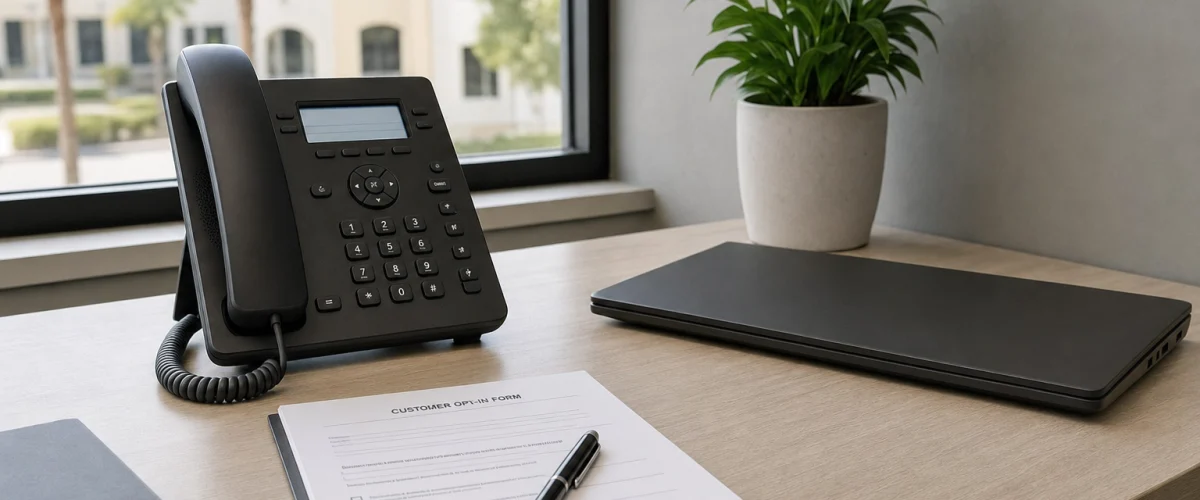
Use the Phone System Blueprint to document shared-room extensions, users, call routing and emergency locations before provisioning the room phone.
Before a conference-room VoIP phone goes live, confirm it has a dedicated room extension, a verified outbound caller ID, a registered E911 location tied to the physical room address, a tested network port with voice VLAN or QoS settings, and a named owner responsible for moves and changes. Run inbound, outbound, and conference-bridge calls to confirm audio quality. Repeat the core checks quarterly.
- Every conference-room phone needs its own extension and a human owner — not just an IP address.
- Outbound caller ID must display a number your clients will recognize, not an internal extension string.
- E911 must be registered to the physical room location; VoIP 911 depends on power and broadband being active.
- A misconfigured network port is the most common cause of choppy audio in shared conference rooms.
- Quarterly audio tests catch drift before a client meeting does.
- Mynians VoIP plans start at $22.95 per licensed user per month with a 5-user minimum, month-to-month, no long-term contract required.
Who This Checklist Is For — and Who It Is Not
This checklist is built for you if:
- You manage one or more shared conference rooms in a Florida office and need a structured pre-launch and recurring audit process.
- Your team recently moved to a hosted VoIP or cloud PBX system and the conference-room phone was provisioned but never formally tested.
- You are an IT administrator responsible for network readiness, voice VLAN configuration, and device documentation.
- You are an operations leader in Orlando, Tampa, Miami, Jacksonville, Winter Garden, or anywhere else in Florida who needs a repeatable process your staff can follow without calling a technician every time.
This checklist is NOT for you if:
- You are looking for a consumer home-phone or residential VoIP setup guide.
- Your office uses a legacy on-premise PBX with no hosted cloud component — the E911 registration and caller ID steps apply specifically to interconnected VoIP services.
- You need a softphone-only setup with no physical desk hardware in the room.

How Providers Handle Conference-Room Phones
Not every VoIP provider treats shared room phones the same way. The table below compares practical factors Florida office managers should weigh when evaluating options.
| Factor | Mynians VoIP | RingCentral | Nextiva | AT&T Business | Legacy PBX / Landline |
|---|---|---|---|---|---|
| Local Florida support | Yes — Orlando-area real techs | National call center | National call center | National call center | Varies by vendor |
| E911 per device/address | Yes — per number, device, and address | Yes | Yes | Yes | Fixed — tied to physical line |
| Extension and directory setup | Included — configured during setup | Self-serve portal | Self-serve portal | Varies by plan | Requires on-site PBX programming |
| Conference calling | 3-way and conference bridge included | Included | Included | Varies by plan | Requires additional hardware |
| Pricing model | Per licensed user/mo, month-to-month | Per user/mo, annual contract common | Per user/mo, annual contract common | Per line, contract required | Hardware + line costs, long contracts |
| Installation planning | Site-specific after network review | Self-install or paid onboarding | Self-install or paid onboarding | Scheduled field tech | On-site PBX technician required |
| Number porting | Handled end-to-end by Mynians | Self-serve with support | Self-serve with support | Carrier-managed | Carrier-managed |
Florida businesses that have switched from national providers frequently describe the same frustrations: weeks-long install waits, porting delays with no local point of contact, and conference-room phones that were provisioned but never tested. Mynians VoIP is built to fix that from the start.
Step 1 — Assign a Room Extension and Directory Label
A conference-room phone should have its own dedicated extension — not a recycled desk extension, not a temporary number. Assign an extension that fits your internal dial plan and label it clearly in the company directory so any employee can reach the room by name, not by memorizing a number.
- Choose an extension range that groups shared resources (e.g., 700–799 for conference rooms, AV carts, and lobby phones).
- Set the directory display name to the room name: “Conf Room A,” “Board Room 2nd Floor,” or “Training Room — Tampa.”
- Confirm the extension appears correctly in the company directory on desk phones and softphone apps.
- Verify internal calls to the extension ring the room phone and not a voicemail box or auto-attendant.
Mynians VoIP includes extension dialing and a company directory as part of the hosted system. During your Call Review, the team confirms the dial plan fits your office layout before any device is provisioned.
Step 2 — Verify Outbound Caller ID
When someone dials out from the conference room, what number does the recipient see? If the answer is an internal extension string, an unrecognized number, or a blank field, your clients may not answer — or worse, they may flag the call as spam.
- Confirm the outbound caller ID is set to a number your clients will recognize: your main business number or a direct line associated with the room.
- Test by dialing a mobile phone and verifying the displayed number matches what you configured.
- If the room is used by a specific department, consider whether the caller ID should reflect a department DID rather than the main number.
- Document the configured caller ID in your room-phone record so future changes are intentional, not accidental.
One of the most common conference-room oversights we see in Florida offices is a room phone that dials out with an unassigned or test number left over from provisioning. Clients see an unfamiliar number, don’t answer, and the meeting starts late. Caller ID verification takes two minutes and should be the first outbound test you run after provisioning any shared device.

Step 3 — Register and Confirm the E911 Location
This step is not optional. The FCC guidance on VoIP and 911 service is clear: interconnected VoIP customers must register the physical location used for 911 calls and must update that registration whenever the device moves. VoIP 911 also depends on active power and a working broadband connection — factors that matter especially during Florida hurricane season.
- Register the E911 location to the specific room address, including suite number and floor if applicable — not just the building’s street address.
- Confirm the registration in your VoIP provider’s portal or with your provider directly.
- If the conference room is on a different floor or wing than your main office address, the E911 record must reflect the room’s actual location.
- Any time the phone is physically moved — even to another room in the same building — update the E911 registration before the device goes back into service.
- Test by dialing your local non-emergency line or using a provider-supplied 933 test number if available, to confirm the registered address is what dispatchers would receive.
Mynians VoIP configures E911 details per number, per device, and per address. This is reviewed during the Call Review and confirmed before go-live. Learn more about the full feature set on the Mynians VoIP phone features page.
Step 4 — Confirm the Network Port and Voice Settings
A conference-room phone that sounds choppy, cuts out mid-sentence, or drops calls is almost always a network problem, not a phone problem. The wall port, switch port, VLAN assignment, and QoS settings all affect audio quality — and shared conference rooms are especially vulnerable because the network drop is often an afterthought during office buildout.
- Confirm the wall port in the conference room is active and patched to the correct switch port in the network closet.
- Verify the switch port is assigned to the voice VLAN if your network uses VLAN segmentation for voice traffic.
- Confirm QoS (Quality of Service) is configured to prioritize voice packets on that port and upstream toward your internet gateway.
- Check that the port supports the power and speed requirements of the desk phone being used — confirm with your hardware documentation.
- If the room uses a PoE (Power over Ethernet) phone, verify the switch port delivers the correct PoE class.
- Run a basic connectivity test from the phone’s network diagnostics menu or from a laptop on the same port before the phone is placed in service.
Mynians performs network checks as part of the pre-installation review. For structured cabling questions, the wider Mynians company also provides structured cabling services — so if the conference-room port was never properly terminated, that can be addressed before the VoIP phone is provisioned.
Not sure if your conference-room network port is voice-ready? Mynians reviews network readiness before any device goes live. Schedule a free VoIP consultation and get real answers from real techs.
Step 5 — Run Inbound, Outbound, and Conference Audio Tests
Provisioning a phone and testing a phone are two different things. Run all three call types before the room goes into active use, and document the results.
Inbound call test
- Dial the room extension from an internal desk phone or softphone. Confirm the room phone rings, audio is clear in both directions, and the call ends cleanly.
- Dial the room’s DID (if it has one) from an external mobile phone. Confirm the call routes correctly and audio is clear.
Outbound call test
- Dial an external number from the room phone. Confirm the outbound caller ID matches what was configured in Step 2.
- Listen for echo, jitter, or one-way audio — these are signs of a network or codec mismatch that should be resolved before the room is used for client calls.
Conference call test
- Initiate a 3-way or conference-bridge call from the room phone. Confirm all participants can hear each other without echo or dropout.
- Test with participants both inside and outside the office to simulate a real meeting scenario.
- If the room uses a speakerphone or dedicated conference-room audio device, test at the volume levels typical for that room size.
Mynians VoIP includes 3-way and conference calling as part of the hosted system. If audio issues surface during testing, the Mynians team can review codec settings, network QoS, and device configuration — without routing you through a national support queue.

Step 6 — Document Room Ownership and Change Procedures
Shared phones fail operationally when nobody owns them. Assign a named owner for every conference-room phone — typically the office manager, IT administrator, or facilities lead — and document what that person is responsible for.
- Record the room name, extension, DID (if applicable), outbound caller ID, E911 registered address, MAC address of the phone, and switch port location in a shared document or IT asset register.
- Name the person responsible for requesting changes: extension reassignments, E911 updates after a room move, caller ID changes, and firmware or provisioning updates.
- Define the process for notifying your VoIP provider when the room is physically relocated, renamed, or decommissioned.
- If your Florida office has multiple locations — Orlando, Tampa, Miami, or elsewhere — maintain a separate record for each site and confirm each site’s E911 registration reflects the correct local address.
For businesses running Florida business VoIP across multiple locations, Mynians supports multi-location systems with call routing and configuration managed centrally. Changes go through a real local team, not a ticket queue that takes days to resolve.
Quarterly Maintenance Checks
A conference-room phone that passed its pre-launch checklist can still drift out of compliance. Network changes, office moves, firmware updates, and carrier-side changes can all affect how the phone behaves. Run these checks every quarter:
- E911 location: Confirm the registered address still matches the room’s physical location. If the office layout changed, update immediately.
- Outbound caller ID: Dial an external number and verify the displayed caller ID is still correct.
- Inbound routing: Call the room extension from inside and outside the office. Confirm it rings the room phone, not a voicemail box or auto-attendant.
- Audio quality: Run a short conference call and listen for echo, jitter, or dropout. If audio has degraded since the last check, review QoS settings and network utilization on that port.
- Ownership record: Confirm the named owner is still the right person. Staff turnover is common; an outdated owner record means nobody acts when something breaks.
- Power and broadband dependency: Remind staff that VoIP 911 depends on active power and internet. Confirm your office has a plan for outages — especially relevant during Florida hurricane season when power disruptions are a real operational risk.
Frequently Asked Questions
Does a conference-room phone need its own licensed user seat?
This depends on your VoIP provider’s licensing model. With Mynians VoIP, plans are priced per licensed user per month. A shared conference-room phone is typically associated with a licensed seat or a shared-device license. The Mynians team clarifies the right licensing approach for your room configuration during the Call Review, so you are not paying for more than you need or missing a required seat.
What happens to E911 if the conference-room phone is moved to a different room?
The E911 registration does not update automatically when a phone is physically moved. You or your VoIP provider must update the registered address to reflect the new room location before the phone is put back into service. The FCC requires interconnected VoIP customers to keep their registered 911 location current. Mynians configures E911 per number, per device, and per address, and the Mynians team can process location updates when you notify them of a room change.
Why does the conference-room phone sound choppy even though other phones in the office are fine?
Conference rooms are often served by a network port that was added during a buildout or renovation and may not have been configured with voice VLAN or QoS settings that match the rest of the office. The switch port serving the conference room should be checked for VLAN assignment, QoS priority, and PoE class if applicable. A network check before provisioning the phone catches these issues before they affect a client call.
How long does it take to set up a conference-room VoIP phone with Mynians?
Installation and porting timelines are confirmed per site after Mynians reviews network readiness, hardware, and any porting requirements. There is no fixed promise because every office environment is different. The Call Review is where those specifics are worked out so you have a realistic plan before anything is ordered or scheduled.
What does the free VoIP consultation actually cover?
The Mynians VoIP Call Review covers your current phone setup, number of users and locations, network readiness, hardware needs, porting requirements, and any specific call-flow or compliance considerations. At the end, you receive an itemized written quote based on what your office actually needs — not a generic package. There is no obligation to move forward after the review.
What is the cost of Mynians VoIP for a Florida office?
Mynians VoIP plans are priced per licensed user per month: Essential at $22.95 with a 5-user minimum, Professional at $29.95 with a 5-user minimum, and Enterprise starting at $39.95 with a 10-user minimum and a final quote required. Standard implementation is $149 for 5 to 9 users and included for 10 or more users. Hardware, taxes, fees, and quoted add-ons are separate. Service is month-to-month with a 30-day cancellation notice — no long-term contract required.
If your conference-room phone was provisioned but never formally tested — or if you are setting up a new Florida office and want the room phone done right the first time — the Mynians VoIP Call Review is the place to start. Real techs, real answers, and an itemized written quote based on your actual setup. No surprise bills, no national call-center runaround.
Update Log
- October 2026: Created and reviewed for Mynians VoIP business phone system accuracy.
