


Florida VoIP Failover for Storm Readiness
Every hurricane season, Florida businesses face the same hard question: if the power goes out, the internet drops, or your office floods, will your phones still ring? For most offices still running legacy landlines or an on-premise PBX, the honest answer is no. A properly configured hosted VoIP system with failover routing changes that answer — and the time to build that plan is before the storm, not during it.
Why Failover Matters for Florida Offices
Florida is not a hypothetical risk environment. Hurricanes, tropical storms, afternoon lightning events, and flooding are routine operational hazards for businesses from Jacksonville to Miami. When a storm knocks out power or your ISP’s local infrastructure goes down, a phone system that lives inside your building goes with it.
The business cost is immediate. Customers calling your main number hear nothing or get a busy signal. Sales calls go unanswered. Service requests pile up. Staff working from home or a backup location have no way to receive or transfer calls under your business number. If you run a multi-location operation — say, an office in Orlando and a second site in Tampa — a localized outage at one site can cascade into a customer-facing failure if your call routing is not designed to handle it.
The FCC has documented repeatedly that traditional PSTN and copper-based phone infrastructure is among the first systems to degrade during major weather events. Cloud-hosted VoIP, by contrast, routes calls through geographically distributed data centers. Your office building can be completely offline and your phone number can still ring — as long as your failover rules are configured correctly and your staff have working devices to receive those calls.
That last part is where most businesses fall short. They assume their VoIP provider handles everything automatically. In reality, failover only works if someone has deliberately configured what happens when your primary path fails. That configuration work is what separates a business that stays reachable during a storm from one that goes dark.
VoIP Failover Options: Side-by-Side Comparison
Before choosing a failover approach, it helps to understand what each option actually delivers during a real outage. The table below compares the most common phone system types Florida businesses use, evaluated specifically for storm and outage resilience.
| Phone System Type | Survives Power Outage? | Survives Internet Outage? | Mobile Failover? | Remote Staff Access? | Local Florida Support? | Typical Contract |
|---|---|---|---|---|---|---|
| Mynians VoIP (hosted cloud PBX) | Yes — routing lives in the cloud | Partial — mobile softphone on cellular data | Yes — iOS/Android softphone included | Yes — any internet connection | Yes — Orlando-area team | Month-to-month, 30-day notice |
| RingCentral / Nextiva (national cloud VoIP) | Yes — routing in the cloud | Partial — mobile fallback available | Yes | Yes | No — remote support only | Annual contracts common |
| AT&T Business (hosted or hybrid) | Varies by plan | Varies by plan | Limited on some plans | Limited | No dedicated local tech | Multi-year contracts typical |
| Legacy Landline / POTS | No — line-powered only | N/A — not internet-based | No | No | Varies | Varies |
| On-Premise PBX | No — hardware in your building | No — hardware in your building | Rarely configured | Rarely configured | Varies | Hardware ownership, support contracts |
| DIY Softphone Apps (consumer) | Yes — app-based | Partial — cellular data | Yes | Yes | No support | None — no business features |
The core advantage of a properly configured hosted VoIP system is that your call routing logic — your auto-attendant, your ring groups, your failover rules — lives in a data center, not in your office. A flooded server room or a dead UPS does not erase your phone system. What it does require is that your staff have a working path to receive calls: a mobile softphone on cellular data, a remote office with internet, or a pre-configured forwarding number.
How VoIP Failover and Backup Routing Actually Work
Primary Path and Backup Path
A hosted VoIP system sends voice traffic over your internet connection. Under normal conditions, your desk phones and desktop softphones connect through your office broadband or fiber line. When that line fails — whether from storm damage, a downed utility pole, or an ISP outage — the system needs a secondary path to keep calls moving.
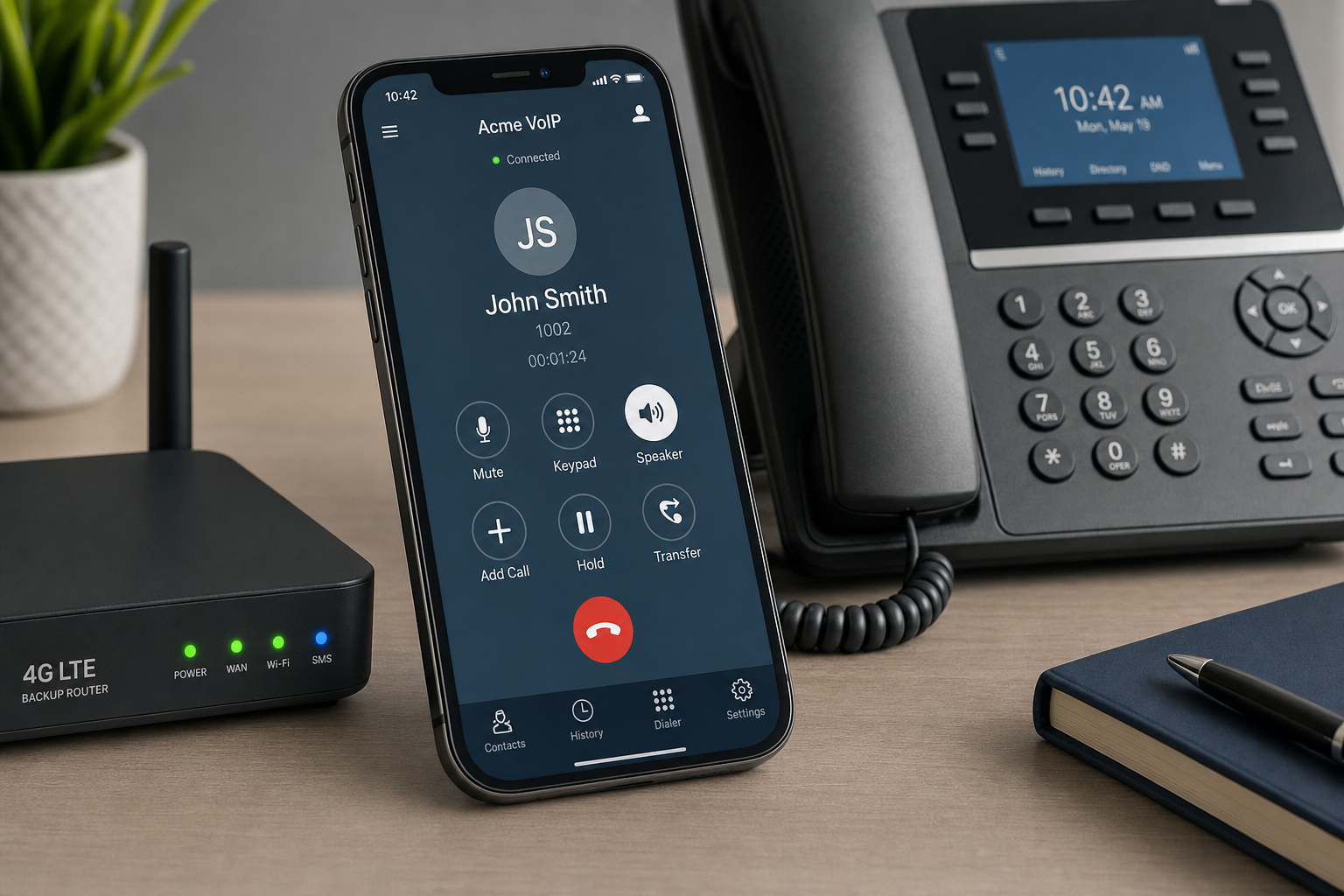
The most practical backup path for most Florida small and mid-size businesses is cellular data. Staff with the VoIP mobile softphone app installed on their smartphones can receive and place calls under the business number using their phone’s data connection, even when office internet is completely down. This requires the app to be installed, tested, and logged in before the outage — not during it.
For businesses with multiple locations, a second office with a working internet connection can serve as the backup routing destination. Calls that would normally ring at the Orlando office can be redirected to the Tampa location automatically when the system detects the primary site is unreachable.
Failover Call Flow Rules
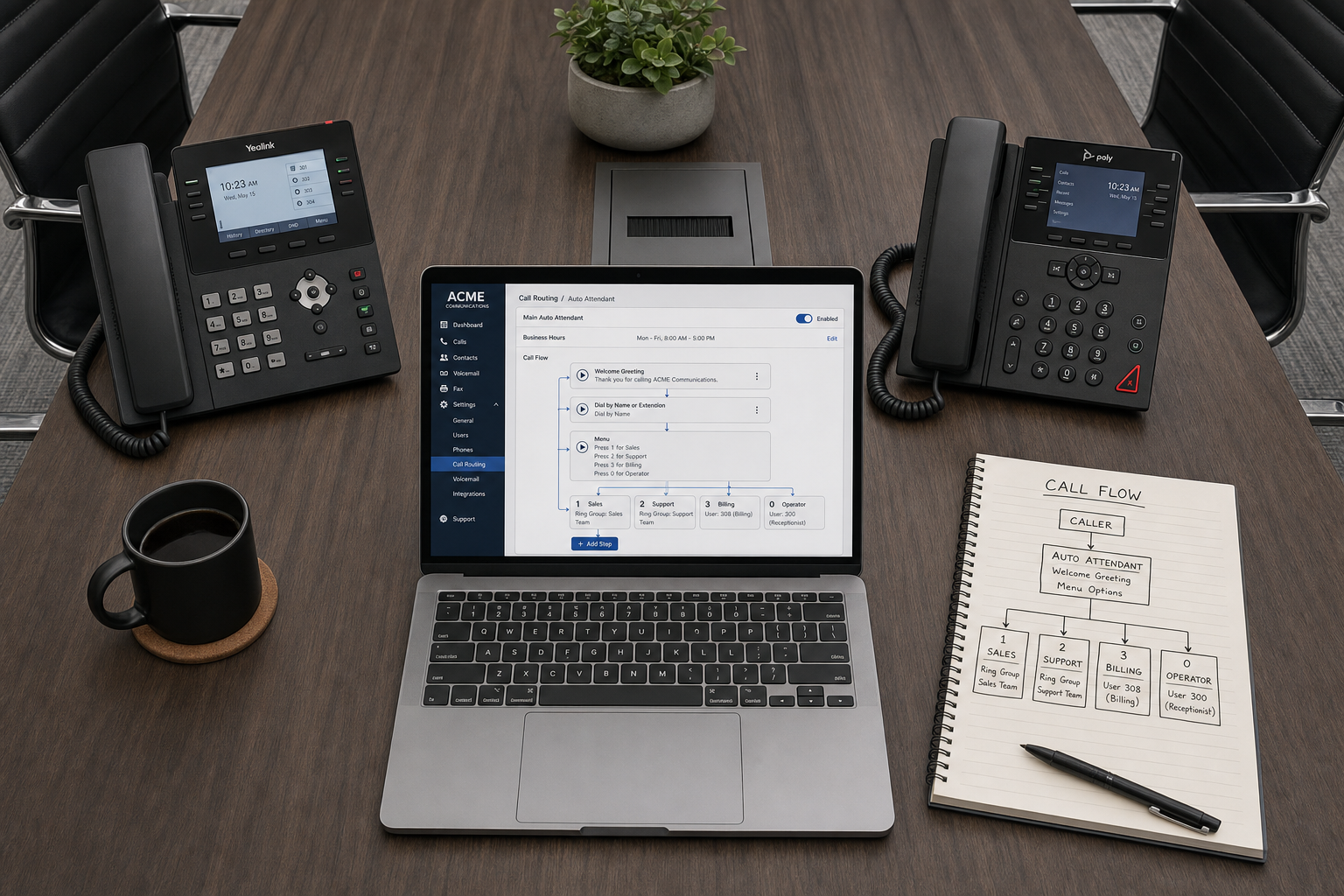
Failover rules are configured inside your cloud PBX settings. A typical storm-ready call flow might look like this: an inbound call hits your main number, the auto-attendant answers it, and if the primary ring group (your desk phones) does not answer within a set number of rings, the system automatically forwards to a mobile ring group or a direct cell number. If that also fails, the call drops to a voicemail-to-email box so the message is captured and delivered to staff email even if no one can answer live.
The key word is automatically. A well-configured failover plan does not require a staff member to manually flip a switch during a storm. The rules fire on their own based on call behavior — unanswered rings, unreachable endpoints, or time-of-day conditions.
Power and Hardware Considerations
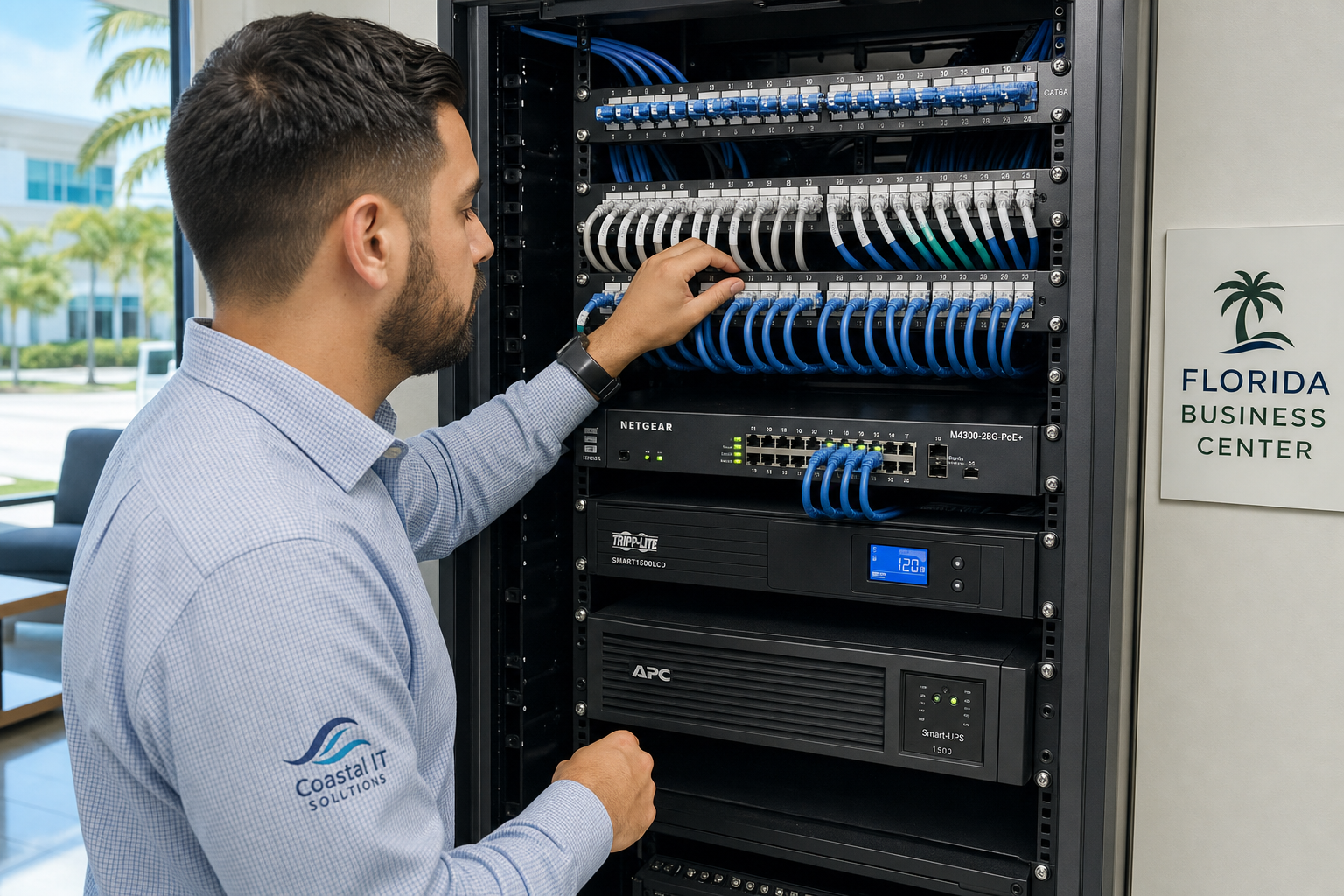
Cloud routing survives a power outage at your office, but your desk phones do not — they need power to operate. A UPS (uninterruptible power supply) on your router and PoE switch can extend desk phone operation for a limited time during a brief outage. For extended outages, mobile softphones on cellular data are the practical answer. This is why Mynians VoIP includes mobile and desktop softphone access as part of its hosted plans — so your staff have a working fallback that does not depend on your office hardware staying powered.
Who This Is For — and Who It Is Not
This setup is a strong fit for:
- Florida businesses with five or more staff who depend on inbound calls for revenue or customer service
- Offices in hurricane-prone areas: Orlando, Tampa, Miami, Jacksonville, and coastal markets
- Multi-location businesses that need calls to reroute between sites automatically
- Businesses currently on legacy landlines or an aging on-premise PBX that goes dark in a power outage
- Office managers who want a documented failover plan they can activate without calling a technician mid-storm
- Businesses that have staff working remotely or from home during evacuations
This is NOT the right fit for:
- Solo operators or home-based businesses with fewer than five users who need only basic call forwarding — a simpler consumer VoIP app may be sufficient
- Businesses with no reliable internet connection at any location and no staff with smartphones — VoIP requires at least one working data path
- Organizations that require a fully on-premise phone system for internal policy reasons and are unwilling to use cloud routing
Common Failover Mistakes Florida Businesses Make
1. Assuming the provider handles everything automatically
A hosted VoIP provider keeps your call routing infrastructure online. But the rules that govern where calls go when your office is unreachable have to be configured by someone. If no one has set up a failover call flow, calls will simply go unanswered or hit a default voicemail box that no one monitors.
2. Never testing the mobile softphone
As noted above, an untested app is not a backup. Test it quarterly. Confirm staff can log in, place a call, and receive a call on cellular data with office Wi-Fi turned off.
3. Relying on a single internet connection with no backup path
A single broadband line is a single point of failure. Businesses in storm-prone areas should consider a secondary connection — even a 4G/LTE router as a failover path — so that internet-dependent systems including VoIP have a fallback when the primary ISP goes down. The Cybersecurity and Infrastructure Security Agency (CISA) recommends redundant communications paths as a baseline for business continuity planning.
4. Not updating call flows after staff changes
A failover rule that forwards to a former employee’s cell number is worse than no rule at all — it creates the illusion of coverage while calls disappear. Call flows need to be reviewed whenever staff changes, especially before storm season.
5. Waiting until a storm warning to start the conversation
Number porting, hardware procurement, and site-specific installation planning all take time. Installation timelines are confirmed per site after reviewing network readiness, hardware, and porting requirements. Starting that conversation in June when a storm is already named is too late.
How Mynians VoIP Approaches Storm Readiness
Mynians VoIP is the Florida business phone division of Mynians, a Winter Garden, Florida technology company with over two decades of hands-on experience. The team serves businesses across Orlando, Winter Garden, Tampa, Miami, and Jacksonville — which means the people configuring your failover plan understand Florida’s storm risk firsthand, not from a national call center.
When a Florida business engages Mynians VoIP for a hosted business VoIP system, the setup process includes a review of the business’s call flows, failover routing options, mobile softphone deployment, and network readiness. Number porting is handled end-to-end — Mynians manages the porting process so businesses do not have to coordinate between carriers on their own, which is one of the most common sources of delays and dropped numbers during a transition.
The wider Mynians company also provides managed IT, structured cabling, and video surveillance, which means the team can assess your full network infrastructure — not just the phone system — when evaluating your storm readiness posture. If your router, switch, or cabling is a weak point, that gets identified before it becomes a problem during a storm.
Failover configuration at Mynians VoIP includes setting up mobile softphone access for staff, configuring auto-attendant failover rules, building ring group fallback sequences, and enabling voicemail-to-email so messages are captured and delivered even when no one can answer live. After setup, the team walks clients through a live failover test to confirm the backup path actually works.
Pricing and What to Expect
Mynians VoIP publishes its pricing per licensed user per month with no hidden line-item surprises on the base service. Current published plans:
- Essential: $22.95 per licensed user per month — 5-user minimum
- Professional: $29.95 per licensed user per month — 5-user minimum
- Enterprise: Starting at $39.95 per licensed user per month — 10-user minimum, final quote required
Standard implementation is $149 for 5–9 users and is included for 10 or more users. Hardware, taxes, fees, and quoted add-ons are separate. Service is month-to-month with a 30-day cancellation notice — no multi-year lock-in.
Installation timelines are confirmed per site after reviewing network readiness, hardware, and porting requirements. There is no fixed installation promise because every site is different. A business with existing compatible hardware and a clean network can move faster than one that needs cabling work or has a complex porting situation.
The free consultation call is a practical working conversation — not a sales pitch. The Mynians team reviews your current phone setup, identifies failover gaps, and provides an itemized written quote based on your actual user count and needs. You can view published pricing at the Mynians VoIP pricing page before the call.
To reach the team directly: (407) 374-2782 or use the contact page.
Frequently Asked Questions
What happens to my VoIP phone system if my office loses power during a hurricane?
Your cloud-hosted call routing stays online because it runs in a data center, not in your building. Your desk phones will go offline without power, but staff with the mobile softphone app installed on their smartphones can continue receiving and placing calls over cellular data. A UPS on your router and PoE switch can extend desk phone operation during brief outages. For extended outages, mobile softphones are the practical answer, which is why Mynians VoIP includes mobile softphone access on its hosted plans.
Can VoIP calls still work if my internet connection goes down?
Yes, with the right failover configuration. If your office internet fails, calls can be automatically rerouted to mobile softphones running on cellular data, to a secondary office location with a working internet connection, or to a forwarding number. The key is that these failover rules must be configured before the outage occurs. An untested failover plan is not a reliable backup.
How long does it take to set up VoIP failover for a Florida business?
Installation and configuration timelines are confirmed per site after reviewing network readiness, hardware, and number porting requirements. There is no fixed timeline that applies to every business. A site with compatible existing hardware and a straightforward porting situation can move faster than one that requires cabling work or has a complex carrier situation. The free consultation call is the starting point for getting a realistic timeline for your specific office.
What is the minimum number of users for Mynians VoIP?
The Essential and Professional plans require a minimum of 5 licensed users. The Enterprise plan requires a minimum of 10 licensed users. Pricing is per licensed user per month, not per phone line.
Does Mynians VoIP handle number porting from our current carrier?
Yes. Mynians VoIP manages the number porting process end-to-end. The team coordinates with your current carrier so you do not have to manage the transfer yourself. Porting timelines are confirmed per site based on the carrier and number type involved.
Why choose a local Florida VoIP provider over a national provider like RingCentral or Nextiva?
National providers offer cloud VoIP, but support is handled remotely by call centers with no local presence. Mynians VoIP is based in Winter Garden, Florida, and serves businesses across Orlando, Tampa, Miami, and Jacksonville with an Orlando-area team that can respond to on-site issues. For storm-readiness planning, having a local team that understands Florida’s infrastructure and weather risks is a practical advantage over a national provider that has never seen your office or your network.
Is there a long-term contract required?
No. Mynians VoIP service is month-to-month with a 30-day cancellation notice. There is no multi-year lock-in on the base service. Hardware, taxes, fees, and quoted add-ons are separate from the per-licensed-user monthly rate.
Update Log
- October 2026: Created and reviewed for Mynians VoIP business phone system accuracy.


