

How to Port Business Numbers to VoIP Safely
Switching your business phone system to VoIP does not have to mean a single dropped call or a day of missed business. But porting your numbers incorrectly — or trusting a national provider to manage it without local oversight — is exactly how Florida businesses end up with dead lines, confused customers, and a support ticket that sits in a queue for two weeks. This guide walks you through the full process: what porting actually involves, what documents you need, where delays happen, and how to keep calls working every step of the way.
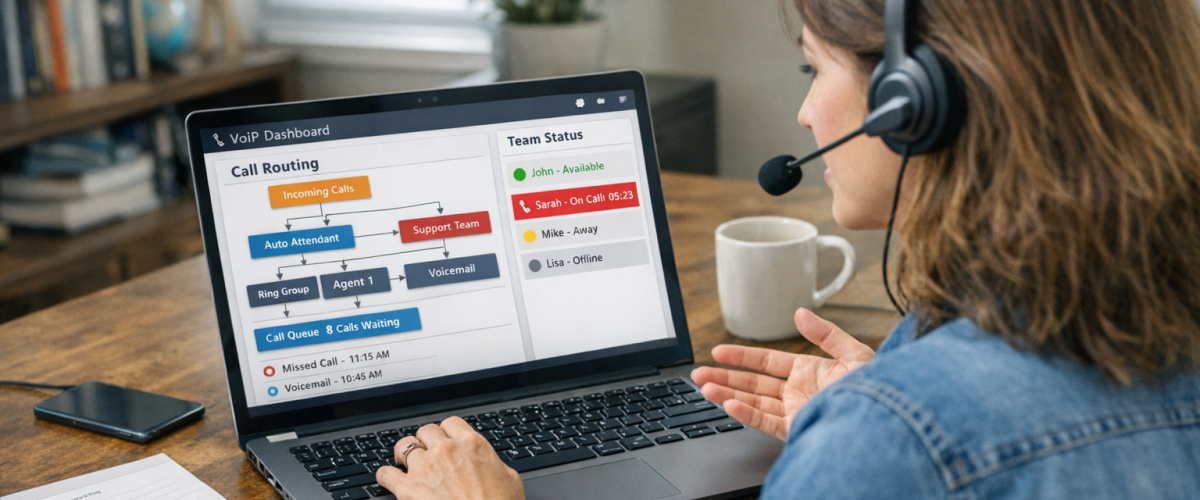
To port business phone numbers to VoIP without losing calls, you need a signed Letter of Authorization, your current account number and PIN, and a recent phone bill. The porting process typically takes 5 to 10 business days for standard lines. During that window, your existing service stays active so no calls are dropped — and a local VoIP provider like Mynians handles the carrier coordination end-to-end so nothing falls through.
- Number porting is federally protected under FCC rules — your current carrier cannot legally block a valid port request.
- You need a Letter of Authorization, your account number, service PIN, and a recent bill to initiate a port.
- Standard porting takes 5 to 10 business days; toll-free and PRI lines can take longer.
- Your existing phone service stays active until the port completes — you do not lose calls mid-process.
- Most porting failures come from mismatched account information, not technical problems.
- Mynians VoIP handles number porting end-to-end for Florida businesses, included in the service.
What Number Porting Actually Means
Number porting is the process of transferring your existing business phone number from your current carrier — whether that is AT&T, Spectrum, Comcast, or a legacy PBX provider — to a new VoIP provider, while keeping the same digits your customers already know.
The FCC mandates that carriers allow number portability. Your current provider cannot hold your number hostage or refuse a valid port request. What they can do is slow things down with paperwork rejections, account mismatches, and port freeze policies — which is where most businesses run into trouble when they try to manage the process themselves or hand it off to a national provider with no local accountability.
The good news: when the process is managed correctly, your phones keep ringing on your old system right up until the moment the port completes and your VoIP system takes over. There is no gap. No silence. No missed calls.

Who This Guide Is For (and Who It Is Not)
This guide is for you if:
- You are a Florida business owner or office manager planning to switch from a landline, legacy PBX, or another VoIP provider to a hosted business VoIP system.
- You have one or more business phone numbers you cannot afford to lose or interrupt.
- You are worried about what happens to calls during the transition window.
- You want to understand the porting process before signing anything or handing over account credentials.
- You manage a multi-location business in Orlando, Tampa, Miami, Jacksonville, or Winter Garden and need a coordinated cutover.
This guide is NOT for you if:
- You are a solo freelancer with a personal cell number and no business phone infrastructure.
- You are looking for a consumer VoIP app for personal use.
- You have no existing phone numbers to port and are starting a brand-new business line from scratch.
Porting Options Compared: Who Handles It and What That Costs You
Not all VoIP providers manage porting the same way. Here is an honest look at what Florida businesses typically encounter:
| Provider Type | Porting Included? | Local Support? | Typical Port Timeline | What Happens When It Goes Wrong |
|---|---|---|---|---|
| Mynians VoIP (Florida) | Yes, end-to-end | Yes — Orlando-based team | 5–10 business days | Local tech contacts carrier directly; same-day resolution |
| RingCentral | Yes, self-managed portal | No — national call center | 7–14 business days | Support ticket queue; no local escalation path |
| Nextiva | Yes, with porting team | No — remote support | 7–14 business days | Email-based escalation; variable response times |
| AT&T Business (legacy) | Varies by contract | Partial — field techs | 10–21 business days | Contract exit fees may apply; porting can be delayed |
| DIY / Self-provisioned VoIP | You manage it | None | Unpredictable | You are on your own if the port rejects |
The difference between a smooth port and a week of dropped calls usually comes down to who is watching the process and who picks up the phone when something rejects.
The single most common reason a port request gets rejected is a mismatch between the name or address on the LOA and what the losing carrier has on file. Before you submit anything, pull your Customer Service Record from your current carrier — it shows exactly how your account is listed. Match it character for character on the LOA and you eliminate the most common delay before it starts.
Documents You Need Before You Start
Gather these before initiating any port request. Missing or incorrect information is the primary cause of rejected ports and added weeks of delay.
1. Letter of Authorization (LOA)
This is the signed document that authorizes your new VoIP provider to request the number transfer on your behalf. It must include the exact business name, service address, and account number as they appear on your current carrier account. Mynians provides the LOA template — you fill it in and sign it.
2. Current Carrier Account Number
This is not your phone number. It is the account number assigned by your current provider. Find it on your bill or call your carrier’s business support line to confirm it.
3. Account PIN or Passcode
Many carriers require a PIN to authorize account changes. If you do not know yours, contact your carrier before starting the port process.
4. Recent Phone Bill (last 30 days)
A copy of your most recent bill confirms your service address and account details. Some carriers require it as part of the port submission.
5. List of Numbers to Port
Provide every number you want transferred, including main lines, direct-dial extensions, and fax lines. Numbers not listed stay with the old carrier.

The Porting Timeline: What Happens and When
Understanding the full VoIP porting process helps you plan your cutover without surprises. Here is what a standard business number port looks like from start to finish:
Days 1–2: Submission and Validation
Your new VoIP provider submits the port request to the losing carrier. The carrier validates the LOA, account number, PIN, and service address. If everything matches, the request is accepted and a Firm Order Commitment (FOC) date is issued — this is your confirmed port date.
Days 3–7: Carrier Processing
The losing carrier processes the transfer internally. Your existing service remains fully active. No calls are affected. This is also when most rejections happen if there is a data mismatch — which is why getting the LOA right the first time matters.
FOC Date: The Cutover
On the FOC date, typically at a scheduled time (often early morning), your number transfers to the new VoIP system. Your old carrier line goes inactive. Your VoIP phones begin handling calls. If your new system is configured and tested in advance, the transition is immediate and callers notice nothing.
Special Cases That Take Longer
- Toll-free numbers: Can take 5–7 additional business days depending on the RespOrg (responsible organization) involved.
- PRI or T1 lines: These are circuit-based and require additional carrier coordination. Plan for 15–21 business days.
- Numbers under a port freeze: Some carriers place a temporary freeze on numbers after account changes. You may need to request a freeze lift before porting can proceed.
- Multi-location ports: Stagger them. Porting all locations simultaneously increases risk. A phased approach lets you verify each site before moving to the next.
Not sure what your current carrier has on file? A Mynians VoIP technician can walk through your account details with you before you submit anything. Schedule a free VoIP consultation and we will check your porting readiness at no cost.
How to Keep Calls Working During the Transition
The most important thing to understand: your existing phone service stays active until the port completes. You are not cutting the wire on day one. Here is how to make sure nothing slips through during the window between submission and cutover.
Set Up Your VoIP System First
Before the port date, your new VoIP phones, auto-attendant, call routing, and voicemail should already be configured and tested on a temporary number. When the port completes, the system is already running — it just starts answering your real number instead of the temp one.
Use Call Forwarding as a Safety Net
On the day of cutover, have call forwarding enabled on your old carrier line pointing to your VoIP number or a mobile backup. If the port completes slightly ahead of schedule or there is a brief routing gap, forwarding catches any calls that might otherwise fall through.
Test Before You Announce
After the port completes, call your own number from an outside line before telling staff the system is live. Confirm the auto-attendant answers correctly, extensions route properly, and voicemail captures missed calls.
Plan the Cutover Time Strategically
Most carriers allow you to request a cutover time. Schedule it for early morning before your office opens, or during a known low-call period. Avoid Monday mornings and the day after a holiday weekend.
Common Carrier Delays and How to Avoid Them
Most porting problems are preventable. Here are the delays Florida businesses run into most often and what actually causes them:
Rejected LOA Due to Name or Address Mismatch
The name on your LOA must match your carrier account exactly — including abbreviations, punctuation, and suite numbers. “Suite 200” and “Ste 200” can cause a rejection. Pull your Customer Service Record (CSR) from your current carrier before filling out the LOA.
Wrong Account Number or PIN
Business accounts sometimes have multiple account numbers for different services. Confirm you are using the account number tied specifically to the lines you are porting, not a billing account number for a different service bundle.
Port Freeze
If you recently made changes to your account — added a line, changed your address, or updated payment info — your carrier may have placed a temporary port freeze. Contact them to confirm and request a freeze lift before submitting the port request.
Numbers Tied to a Contract
Some carriers bundle phone numbers into service contracts with early termination fees. The FCC requires them to release the number, but they can still bill you an ETF. Review your contract terms before initiating the port so there are no billing surprises after the fact.
Incomplete Number List
If you forget to include a direct-dial number or a fax line in your port request, that number stays with the old carrier. Once the main account is ported, recovering a missed number requires a separate port request and additional processing time.
The FCC’s number portability consumer guide outlines your rights during the porting process, including the rules carriers must follow and how to file a complaint if a carrier delays or blocks a valid port.

Why Local Support Changes the Outcome
When a port rejects at 8 a.m. on a Tuesday and your front desk phones are not ringing, you do not want to be on hold with a national call center reading from a script. You want a local support team that can work the issue directly with you and your carrier.
Mynians VoIP is based in Winter Garden, Florida. Our team serves businesses across Orlando, Tampa, Miami, Jacksonville, and the surrounding markets. When something goes sideways during a port — and occasionally something does — you reach the same team that set up your system, not a rotating support queue.
We also handle the full porting process end-to-end. That means we pull the CSR, prepare the LOA, submit the request, monitor the FOC date, configure your system before cutover, and verify everything is working after the port completes. You do not manage carrier paperwork. We do.
For businesses with HIPAA call-handling requirements — medical offices, dental practices, behavioral health providers across Florida — we also configure compliant call flows and voicemail handling as part of the system setup, so the porting process does not create a compliance gap.
Our plans start at $22.95 per licensed user per month on the Essential plan (five-licensed-user minimum), with Professional at $29.95 and Enterprise starting at $39.95 (ten-licensed-user minimum). Month-to-month, no contracts. Porting is included. For a line-by-line comparison against what you are paying now, the free consultation is where that conversation happens — call us at (407) 374-2782 or visit our pricing page to see the full breakdown.
When your site is ready, we can complete installs across major Florida markets in 72 hours. That includes phones, configuration, and porting coordination — not just dropping hardware at the door.
If you are planning a phone system switch and want to make sure your numbers port cleanly — without a week of dropped calls or a carrier rejection you did not see coming — talk to the Mynians VoIP team first. We will review your current bill, check your porting readiness, and give you a line-by-line quote at no cost.
Frequently Asked Questions
How long does it take to port a business phone number to VoIP?
Standard business lines typically port in 5 to 10 business days once the LOA and account information are validated. Toll-free numbers can take longer, and PRI or T1 circuit-based lines may require 15 to 21 business days. The timeline starts after the losing carrier accepts the request — rejections due to mismatched information reset the clock, which is why getting the paperwork right the first time matters.
Will my business lose calls during the porting process?
No. Your existing phone service stays active throughout the porting window. Calls continue to ring on your current system until the port completes on the confirmed FOC date. At that point, your VoIP system — which should already be configured and tested — takes over. With proper planning and call forwarding as a backup, there is no gap in service.
Can my current carrier refuse to release my number?
No. Under FCC rules, carriers are required to release your number when a valid port request is submitted. They cannot block a legitimate port. They can, however, reject a request due to incorrect account information or a port freeze — which is a delay, not a refusal. If a carrier is improperly blocking a port, you can file a complaint with the FCC. See the FCC website for the complaint process.
What is a Letter of Authorization and do I have to write it myself?
A Letter of Authorization (LOA) is a signed document that gives your new VoIP provider permission to request the number transfer from your current carrier. You do not write it yourself — your new provider supplies the template. You fill in your account details and sign it. Mynians VoIP provides the LOA as part of the porting process and reviews it with you before submission to catch any mismatches.
Does Mynians VoIP charge extra for number porting?
No. Number porting is handled end-to-end and included in the service. There is no separate porting fee. Plans start at $22.95 per licensed user per month on the Essential plan. For a full breakdown of what is included at each tier, visit the Mynians VoIP pricing page or schedule a free consultation for a line-by-line quote against your current bill.
What happens if my port request gets rejected?
A rejection means the losing carrier found a mismatch between the information on your LOA and what is on file in their system. Common causes include a different business name format, wrong account number, or incorrect service address. When Mynians manages your port, we identify the mismatch, correct the submission, and resubmit — typically within the same business day. Your existing service is not affected by a rejection; calls keep working while the issue is resolved.
Update Log
- July 2026: Created and reviewed for Mynians VoIP business phone system accuracy.
