


Florida Healthcare VoIP Switch Checklist
Before your medical, dental, therapy, or specialty practice in Florida moves away from a legacy phone system, there are specific configurations, vendor obligations, and call-handling details you need to confirm in writing. This checklist walks practice managers through every item that matters — from Business Associate Agreements to voicemail encryption to hurricane-season failover — so your switch to a HIPAA-friendly VoIP system does not create a compliance gap on day one.
Who This Is For
This checklist is written for practice managers, office administrators, and operations leads at Florida-based medical offices, dental practices, behavioral health and therapy offices, chiropractic clinics, and specialty practices that are actively evaluating a move from a legacy landline or outdated PBX to a hosted VoIP system. If your practice handles patient calls, appointment scheduling, referral coordination, or any communication that touches protected health information, this guide applies directly to your situation.
Provider Comparison at a Glance
Not every VoIP provider is built to support healthcare compliance requirements. Here is an honest comparison of common options Florida practices evaluate.
| Provider / Option | BAA Available | Local Florida Support | Starting Price | Contract Required | Install Timeline | HIPAA Call Flow Config |
|---|---|---|---|---|---|---|
| Mynians VoIP | Yes (confirm on consult) | Yes — Orlando-based team | $22.95 per licensed user/mo (5-line min) | No — month-to-month | 72 hours when site is ready | Yes — configured end-to-end |
| RingCentral | Yes (enterprise tiers) | No — national call center | Higher per-line cost at entry | Annual contracts common | Weeks typical | Self-configured or add-on |
| Nextiva | Yes (on request) | No — national call center | Mid-range per line | Annual contracts common | Weeks typical | Self-configured |
| AT&T Business | Varies by product | Limited local presence | Bundled pricing, hard to compare | Multi-year common | Weeks to months | Limited flexibility |
| Legacy Landline / PBX | N/A | Depends on vendor | High hardware + line costs | Often locked in | Hardware-dependent | Not applicable |
| DIY Softphone Apps | Rarely | None | Low upfront, high risk | No | Immediate but unsupported | Not configured for compliance |
Pricing and contract terms reflect publicly available information at time of publication. Confirm current terms directly with each provider.
1. Confirm a Business Associate Agreement Exists
A Business Associate Agreement is a written contract that obligates your VoIP provider to handle any protected health information that passes through their systems in accordance with applicable federal rules. If your provider cannot or will not sign a BAA, they are not an appropriate choice for a healthcare practice — full stop.
Ask for the BAA in writing before any configuration begins. Do not accept a verbal assurance. Verify that the BAA covers voice communications, voicemail storage, call logs, and any recording or transcription features you plan to use. The Cybersecurity and Infrastructure Security Agency publishes guidance on vendor risk management that applies directly to this kind of third-party agreement review.
2. Verify Voice and Voicemail Encryption
Encryption of voice traffic in transit is one item. Encryption of stored voicemail is a separate item. Many practices assume both are covered when only one is. Ask your provider specifically:
- Is SIP signaling encrypted using TLS?
- Is the voice media stream encrypted using SRTP?
- Are voicemail recordings stored with encryption at rest?
- Are voicemail-to-email attachments transmitted over encrypted channels?
The National Institute of Standards and Technology publishes encryption standards and frameworks that inform what constitutes adequate protection for sensitive communications data. Get written confirmation from your provider on each of these points before go-live.
3. Understand Call Recording Controls
Call recording in a healthcare setting is not a simple on/off feature. Florida is a two-party consent state for recorded conversations, which means your call recording configuration must account for consent notification. Beyond state law, any recorded call that contains protected health information must be stored, accessed, and retained under the same controls as other protected data.
Before enabling call recording, confirm with your provider:
- Where recordings are stored and for how long
- Who has administrative access to recordings
- Whether recordings can be deleted on demand to support retention policies
- Whether the consent announcement plays automatically before recording begins
If your provider cannot answer these questions with specifics, that is a red flag. Practices evaluating healthcare VoIP configurations should treat call recording configuration as a required line item in any deployment scope, not an afterthought.
4. Audit Your Call Routing and Auto-Attendant Setup
Auto-attendants and call queues are where most compliance gaps live in a healthcare VoIP deployment. A poorly written greeting, an unencrypted queue announcement, or a routing path that sends calls to a personal mobile number without proper configuration can all create exposure.
Walk through every call path your practice uses:
- Main line inbound routing during business hours
- After-hours routing — where do calls go, and what is announced?
- Overflow routing when staff are unavailable
- Direct extensions for providers and clinical staff
- Any hunt groups or ring-all configurations
Each path should be documented, tested, and reviewed against your compliance obligations before the system goes live. A local provider who builds these flows with you — rather than handing you a self-service portal — makes this step significantly more reliable.
5. Plan Number Porting Before You Cancel Anything
Your practice phone numbers are patient-facing assets. A number that has been on your website, your insurance listings, and your referral network for years cannot go dark during a transition. Number porting — moving your existing numbers to a new VoIP provider — must be completed and confirmed before you cancel service with your current carrier.
Common porting problems that affect Florida healthcare offices include:
- Canceling the old carrier before the port completes, which releases the number
- Submitting incorrect account information that delays the port by days or weeks
- Not porting fax lines or secondary numbers used for after-hours calls
- National providers who hand off porting to a third-party team with no local accountability
Mynians handles number porting end-to-end. That means one team manages the paperwork, the timeline, and the confirmation — not a ticket queue at a national carrier. Ask any provider you evaluate who specifically owns the porting process and what happens if it stalls.
6. Confirm Failover and Redundancy for Florida Weather
Florida practices face a real operational risk that practices in other states do not think about as often: hurricane season. A power outage, a flooded building, or a downed internet connection during a storm cannot mean your phones go completely dark. Patients calling to reschedule, confirm appointments, or reach on-call staff need to get through.
Ask your VoIP provider specifically:
- What is the published uptime SLA? (Mynians does not publish an uptime percentage; it puts the outage plan in writing.)
- Can calls automatically reroute to mobile numbers or an alternate location if the primary site loses power or internet?
- Is failover configuration included in the setup, or is it an add-on?
- How quickly does failover activate?
A cloud-hosted VoIP system with properly configured failover routing means your calls keep moving even when your building does not. This is a practical requirement for any Florida business, and it is especially important for a healthcare practice where missed calls have direct patient impact.
7. Check User Access Controls and Admin Permissions
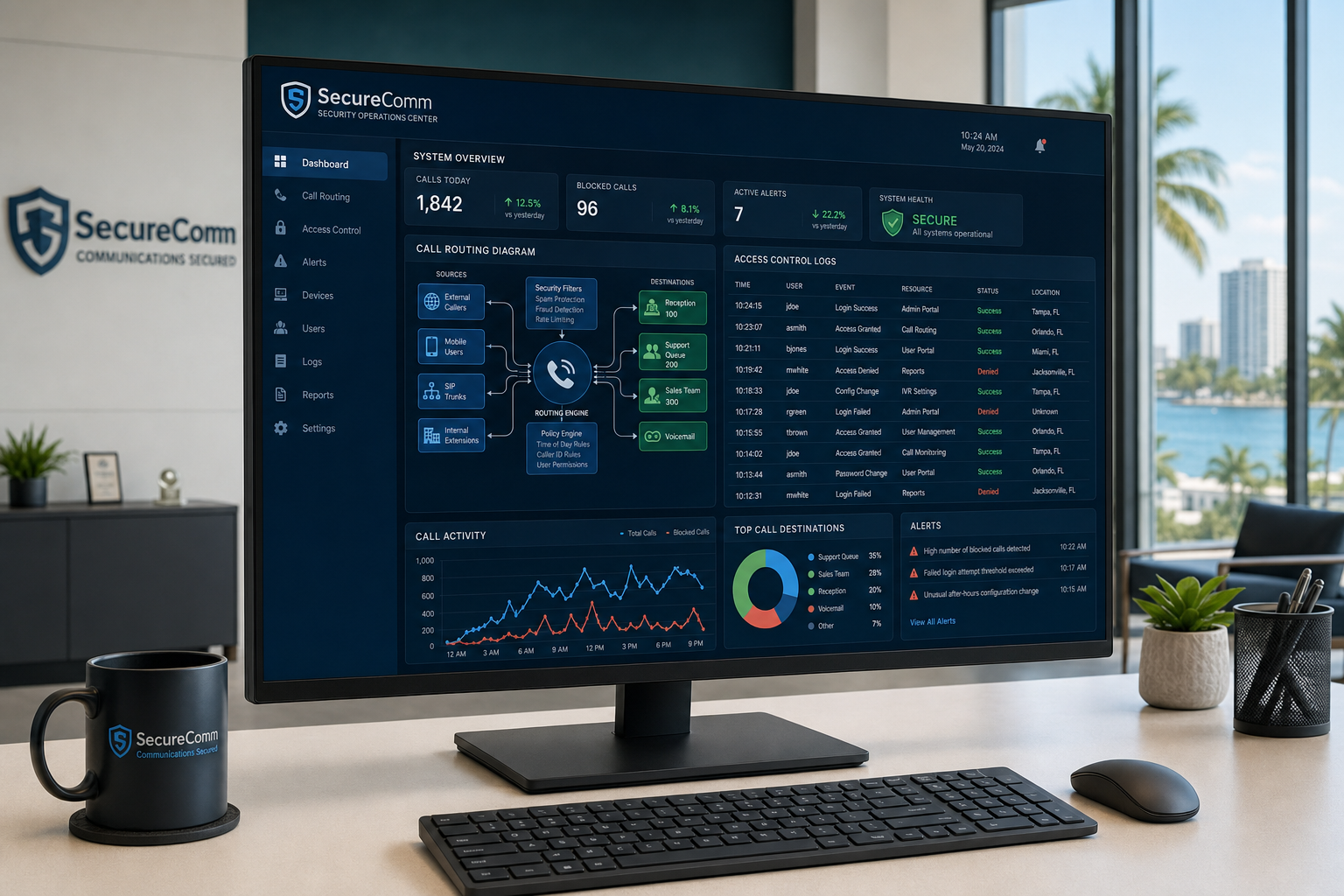
Your VoIP system’s admin portal controls call routing, recording access, voicemail retrieval, and user management. That portal needs role-based access controls so that front-desk staff, clinical staff, and administrators each have access only to what they need.
Verify that your provider supports:
- Separate admin and user permission levels
- Audit logs showing who accessed recordings or changed routing settings
- The ability to disable a user account immediately when staff turnover occurs
- Multi-factor authentication for admin access
Staff turnover is a real operational reality in healthcare offices. A former employee who still has access to your VoIP admin portal — or who can still retrieve voicemails from a shared extension — is a preventable risk. Confirm these controls are in place before go-live.
8. Review Voicemail-to-Email Delivery Settings
Voicemail-to-email is a standard VoIP feature that sends an audio file of each voicemail to a designated email address. For a healthcare office, this creates a specific question: is that email account secured appropriately for the content it may receive?
Before enabling voicemail-to-email, confirm:
- The destination email account is a practice-controlled business account, not a personal address
- The email platform used by your practice has appropriate security controls
- Voicemail audio files are not forwarded automatically to unsecured accounts
- Your provider transmits the email attachment over an encrypted connection
This is a detail that gets missed in fast deployments. A national provider who activates voicemail-to-email by default without reviewing where those emails land can create a gap that your practice did not intend to open.
9. Assess Network and Cabling Readiness
VoIP call quality and reliability depend on your local network. A healthcare office with aging structured cabling, an unmanaged switch, or a shared internet connection without Quality of Service configuration will experience call quality problems regardless of which VoIP provider they choose.
Before your VoIP deployment, assess:
- Whether your internet connection has sufficient bandwidth and low latency for the number of concurrent calls you handle
- Whether your network switches support QoS tagging to prioritize voice traffic
- Whether your cabling infrastructure is in good condition and properly terminated
- Whether your Wi-Fi coverage is adequate if staff use softphone apps on mobile devices
Mynians is a full-service Florida technology company. Beyond VoIP, the wider Mynians team handles structured cabling, managed IT, and network readiness — which means if your cabling or network needs work before the phones go in, that is handled by the same local team, not a separate vendor you have to coordinate separately.
10. Confirm Local Support and Response Time
When something goes wrong with your phone system on a Monday morning — calls dropping, the auto-attendant routing incorrectly, a line that will not register — you need a real person who knows your configuration and can fix it fast. A national call center that opens a ticket and escalates through three tiers is not the same as a local team that built your system and can pull up your configuration immediately.
Ask every provider you evaluate:
- Who answers the phone when you call for support?
- Is support handled by the same team that configured your system?
- What is the response time commitment for a down-system situation?
- Is there a local technician who can come on-site if needed?
Mynians VoIP is supported by an Orlando-based team serving practices across Florida including Winter Garden, Tampa, Miami, and Jacksonville. When you call (407) 374-2782, you reach real techs with real answers — not a national call center reading from a script. That distinction matters when your front desk cannot take calls and patients are waiting.
Review FCC guidance on business VoIP services for additional context on what providers are required to disclose about service reliability and support obligations.
Who This Is NOT For
This checklist is not the right fit for solo practitioners who handle zero patient phone communications and operate entirely through a third-party answering service with its own compliance controls. It is also not written for practices that are under an active IT managed services contract that already covers VoIP compliance configuration — though even in that case, verifying the BAA and encryption items above is worth doing independently.
If your practice is a single-provider cash-pay operation with no insurance billing and no patient records transmitted over phone, your compliance obligations around VoIP are different. That said, most Florida healthcare offices — even small ones — benefit from the call routing, failover, and local support items on this list regardless of compliance requirements.
Frequently Asked Questions
Does every VoIP provider offer a Business Associate Agreement for healthcare offices?
No. Not every VoIP provider offers a BAA, and some that do only offer it on higher-tier plans or enterprise contracts. Always request the BAA in writing before any configuration begins. If a provider cannot or will not sign one, they are not an appropriate choice for a healthcare practice that handles patient communications.
How long does number porting take for a Florida healthcare office?
Number porting typically takes between 5 and 10 business days when the account information submitted matches the current carrier’s records exactly. Errors in the Letter of Authorization or account details can extend this significantly. Mynians handles porting end-to-end, which means one local team manages the process from submission to confirmation rather than handing it off to a third party.
What happens to our phones during a Florida hurricane or power outage?
With a properly configured cloud VoIP system, calls can automatically reroute to mobile numbers, alternate locations, or a voicemail system when your primary site loses power or internet. This failover routing must be configured before an outage occurs — it does not activate automatically unless it has been set up. Mynians includes failover configuration as part of healthcare deployments across Florida.
Is call recording legal for a Florida healthcare office?
Florida is a two-party consent state, which means all parties on a recorded call must be notified before recording begins. Beyond state law, any recorded call containing protected health information must be stored and managed under appropriate controls. Your VoIP provider should be able to configure an automatic consent announcement and confirm where recordings are stored and who can access them. Consult your legal counsel for guidance specific to your practice’s obligations.
What does Mynians VoIP cost for a healthcare office?
Mynians VoIP plans start at $22.95 per licensed user per month for the Essential plan with a five-licensed-user minimum, $29.95 per licensed user per month for Professional, and Enterprise starting at $39.95 per licensed user per month with a ten-licensed-user minimum. All plans are month-to-month with no contracts. The free consultation includes a review of your current phone bill and a line-by-line quote so you can compare directly. Call (407) 374-2782 or visit the pricing page at voip.mynians.com/pricing/ to review published rates.
How quickly can Mynians VoIP install a system for a Florida healthcare office?
Most Mynians VoIP installs go live within 72 hours once the site is ready and the numbers clear to port; the system is built and tested before the scheduled cutover. Site readiness means your network, cabling, and internet connection are confirmed adequate before the install date. If your office needs cabling or network work first, the wider Mynians team handles that as well, which avoids the coordination delays that come from managing multiple vendors.
Update Log
- August 2026: Created and reviewed for Mynians VoIP business phone system accuracy.


