
Desk Phone, App, or Browser? Choose the Right VoIP Endpoint for Your Florida Office
Not every employee in your Florida office needs the same calling setup. A front-desk receptionist in Orlando has different requirements than a field rep driving between Tampa and Miami, or a temporary contractor who logs in for six weeks and leaves. Choosing the wrong VoIP endpoint for a role wastes money, creates 911 location risks, and frustrates staff. This guide walks through each common office role and maps it to the endpoint that actually fits—desk phone, mobile app, or browser-based calling—so you can build a phone system that works the way your team works.
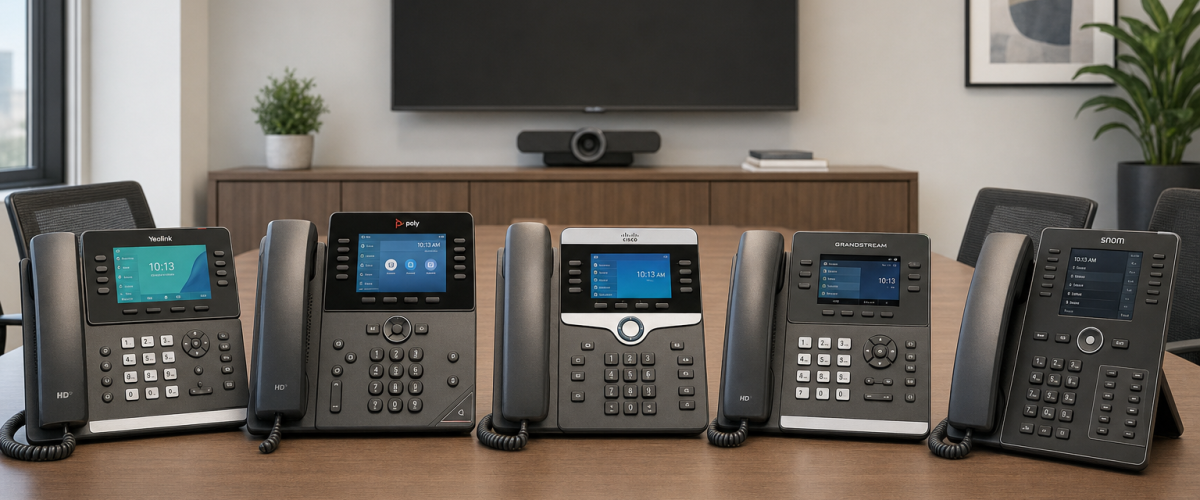
Desk phones suit fixed, high-call-volume roles like reception and shared workstations. Mobile apps fit hybrid employees, executives on the move, and field staff who need their business number anywhere. Browser-based calling works well for temporary workers, remote employees with managed laptops, and anyone who cannot install software. The right answer is usually a mix—matched to each role, not applied uniformly across the office.
- Desk phones are optional hardware purchases on Mynians VoIP plans—not required for every licensed user.
- Mobile apps and browser calling are included in Mynians VoIP plans, giving Florida offices flexibility without extra per-seat hardware costs.
- Every VoIP device moved to a new physical location should have its registered 911 address updated through your provider, per guidance from 911.gov.
- Shared workstations, reception desks, and break-room phones almost always benefit from a physical desk phone rather than a personal softphone.
- Field staff and hybrid employees typically get the most value from the mobile app, keeping their personal number private while using their business line.
- Mynians VoIP plans start at $22.95 per licensed user per month with a 5-user minimum, on a month-to-month basis with 30-day cancellation notice.
Endpoint Comparison at a Glance
Before diving into individual roles, here is a practical side-by-side of the three endpoint types. Use this to orient your team before the role-by-role breakdown below.
| Factor | Desk Phone | Mobile App (Softphone) | Browser Calling (WebRTC) |
|---|---|---|---|
| Hardware cost | Separate purchase required | Uses existing smartphone | No additional hardware |
| Call quality ceiling | Highest (wired or PoE) | Good on strong Wi-Fi or LTE | Good on stable broadband |
| Mobility | Fixed location | Fully mobile | Tied to a browser session |
| 911 location accuracy | Registered to fixed address; update required if moved | Requires manual location update when moving | Requires manual location update when moving |
| Shared-phone suitability | Excellent | Poor (tied to personal device) | Moderate (hot-desk login possible) |
| Device management burden | Provisioned once; low ongoing effort | Requires MDM or BYOD policy | Managed through browser/profile |
| Best for | Reception, shared spaces, high-call-volume roles | Hybrid, field, executive travel | Temporary workers, remote laptops |
| Included in Mynians VoIP plans | No — optional hardware purchase | Yes | Yes |

Who This Guide Is For
This guide is for you if:
- You manage a Florida office with a mix of onsite, hybrid, and mobile employees.
- You are evaluating or upgrading a business phone system and want to avoid over-buying hardware or under-equipping staff.
- You have roles like reception, shared workstations, field reps, or temporary contractors that do not fit a one-size-fits-all phone setup.
- You are concerned about 911 accuracy, call quality, or device management across multiple locations in Florida.
This guide is NOT for you if:
- You are a solo operator who only needs one line—a single mobile app license is likely all you need, and a full role matrix is overkill.
- You are looking for a consumer VoIP app for personal use rather than a business phone system.
- Your team is entirely remote with no shared office space and no reception function—the desk phone section will not apply.
Role-by-Role Endpoint Matrix
Reception and Front Desk
Recommended endpoint: Desk phone.
A receptionist in a busy Orlando medical office, law firm, or property management company handles a high volume of inbound calls, transfers, and holds throughout the day. A physical desk phone with a quality handset or headset connection reduces fatigue, provides tactile call controls, and does not depend on a browser tab staying open or a smartphone battery staying charged. Because the phone sits at a fixed address, its 911 registration is stable and easy to maintain. If your reception desk ever moves—even to a different suite in the same building—update the registered location with your VoIP provider immediately.
Executives and Senior Managers
Recommended endpoint: Desk phone at the office + mobile app for travel.
Executives often split time between the office, client sites, and travel. A desk phone at their primary workstation handles in-office calls with the best audio quality. The mobile app on their smartphone keeps the same business number active when they are at a client’s Tampa office or catching a flight out of Orlando International. This dual setup means calls follow them without exposing a personal cell number to clients or staff.
Shared Workstations and Break Rooms
Recommended endpoint: Desk phone.
Shared spaces—warehouse floors, break rooms, nurse stations, or hot-desk areas—need a phone that any authorized employee can pick up without logging into a personal account. A provisioned desk phone assigned to the room extension handles this cleanly. Browser calling is a secondary option for hot-desk environments where employees log into a shared computer with their own credentials, but it requires a reliable broadband connection and a headset at every station.
Hybrid Employees
Recommended endpoint: Mobile app, with optional browser calling at home.
A hybrid employee working three days in a Winter Garden office and two days from home in Clermont does not need a desk phone at both locations. The mobile app on their smartphone covers both environments. If they prefer not to use their personal phone for work calls, browser calling on their work laptop is a practical alternative for home days—provided their home internet connection is stable. Remind hybrid employees that if they use browser calling from a new address, they should confirm their 911 location is updated.
One of the most common mistakes we see in Florida offices is buying a desk phone for every licensed user out of habit, then watching half of them collect dust because those employees are rarely at their desks. Before ordering hardware, map each role to where calls actually happen—at a fixed desk, on the road, or split between home and office. That mapping exercise alone can save a meaningful amount on upfront hardware costs and simplify your provisioning work on day one.
Field Staff and Mobile Workers
Recommended endpoint: Mobile app.
A field technician driving between Jacksonville and St. Augustine, or a sales rep covering the I-4 corridor from Daytona to Tampa, needs their business line on their phone. The mobile softphone app keeps their business number separate from personal calls, supports call recording where configured, and connects to the same call routing and voicemail-to-email system as the rest of the office. Desk phones and browser calling are not practical for workers who are rarely at a fixed location.
Temporary Workers and Contractors
Recommended endpoint: Browser calling.
A contractor who joins your Miami office for six weeks does not need a provisioned desk phone or a mobile app installed on a personal device. Browser calling lets them log into a managed work computer, access the calling interface through a browser, and make and receive calls on a temporary extension. When the engagement ends, you remove the license—no hardware to collect, no app to uninstall from a personal phone. This is also the lowest-friction option for seasonal staff common in Florida’s hospitality and tourism industries.

911 Location: The Risk Most Offices Miss
Unlike a traditional landline, a VoIP number is not automatically tied to a physical address. When someone calls 911 from a VoIP device, dispatchers rely on the registered location stored with the provider—not the physical location of the device at that moment.
According to 911.gov’s frequently asked questions on VoIP and 911, a VoIP device that has been moved to a new location should have its registered physical address updated through the provider. This applies to every endpoint type:
- Desk phones: If a phone moves from one office suite to another—or from your Orlando headquarters to a new Tampa branch—update the registered address before the phone goes live at the new location.
- Mobile apps: Employees using the mobile app from home, a client site, or a hotel should understand that the 911 location on file may reflect the office address, not their current location. Work with your provider to establish a clear policy for updating location when working remotely.
- Browser calling: The same principle applies. A temporary worker calling 911 from a browser at a remote site needs the registered address to reflect where they actually are.
Build 911 location review into your onboarding checklist for every new employee and every office move. It is a straightforward step that is easy to overlook until it matters.
Not sure how your current phone system handles 911 location registration? Mynians VoIP can walk through your setup and help you identify gaps before they become problems. Schedule a free VoIP consultation
Network Conditions and Headset Considerations
Network readiness matters for every endpoint
VoIP call quality depends on your network. A desk phone on a wired connection with Quality of Service (QoS) configured on your managed switch will almost always outperform a browser-based call on a congested shared Wi-Fi network. The FCC provides general guidance on broadband performance expectations that can help you benchmark your connection before deploying VoIP. For Florida offices that experience hurricane-season outages, a failover configuration—where calls route to mobile apps or an alternate number when the primary internet connection drops—is worth discussing with your provider during setup.
Headsets
For any employee who spends significant time on calls—reception, support staff, or inside sales—a quality headset matters more than the endpoint type. Most desk phones support a direct headset connection. Mobile apps and browser calling work with Bluetooth or USB headsets. If your team is moving from desk phones to softphones, budget for headsets as part of the transition. A poor headset on a good VoIP system still produces a poor call experience.
Device Management and Shared Phones
Desk phone provisioning
A provisioned desk phone is configured once and works reliably without ongoing user action. For IT administrators managing multiple Florida locations, this predictability is valuable. The tradeoff is that each physical phone is a hardware cost and a physical asset to track, replace, and eventually retire.
Mobile app and BYOD policy
When employees use the mobile softphone on personal devices, your organization needs a clear bring-your-own-device (BYOD) policy. Consider what happens to the business app and its data when an employee leaves. Work with your IT team or managed IT provider to establish a mobile device management (MDM) approach that covers VoIP apps alongside email and other business tools. The NIST publishes practical frameworks for mobile device security that are a useful starting point for Florida businesses building or updating a BYOD policy.
Browser calling and session management
Browser-based calling is the easiest endpoint to provision and deprovision, but it requires employees to maintain an active browser session and a stable internet connection. For shared computers, make sure browser profiles are managed so that one employee’s calling credentials do not persist after they log out.

How Mynians VoIP Fits Into This Decision
Mynians VoIP is the Florida business phone division of Mynians, a Winter Garden, Florida technology company with over two decades of hands-on experience. For Florida office managers and IT administrators, the practical details matter:
- Plans and pricing: Essential at $22.95 per licensed user per month (5-user minimum), Professional at $29.95 per licensed user per month (5-user minimum), and Enterprise starting at $39.95 per licensed user per month (10-user minimum, final quote required). Service is month-to-month with 30-day cancellation notice. Hardware, taxes, fees, and quoted add-ons are separate.
- Implementation: Standard implementation is $149 for 5–9 users and included for 10 or more licensed users. Installation timelines are confirmed per site after reviewing network readiness, hardware, and porting requirements—no fixed promise applies universally.
- Included endpoints: Mobile apps and browser calling are included in Mynians VoIP plans. Desk phones are optional hardware purchases—you buy them for the roles that need them, not as a blanket requirement.
- Number porting: Mynians handles number porting end-to-end. Porting timelines are confirmed per site; do not assume a fixed window. Porting problems—stuck numbers, carrier delays, dropped extensions—are among the most common pain points when switching providers, and having a local team managing the process makes a real difference.
- Local support: Mynians serves businesses across Florida including Orlando, Winter Garden, Tampa, Miami, and Jacksonville. When something goes wrong, you reach real techs, not a national call center queue.
- Failover and redundancy: For Florida businesses that take hurricane season seriously, Mynians can configure failover so that calls route to mobile apps or alternate numbers when your primary connection is down.
- Healthcare workflows: For Florida healthcare offices, Mynians configures call flows to support applicable HIPAA obligations. This is a configuration service, not a compliance certification.
If you are evaluating Florida business VoIP options and want to understand which endpoints make sense for your specific roles and locations, the right starting point is a conversation about your actual setup—not a generic quote.
Tell us about your office roles, locations, and current phone setup. Mynians VoIP will review your needs and provide an itemized written quote—no pressure, no surprise line items. We serve businesses across Orlando, Winter Garden, Tampa, Miami, Jacksonville, and the surrounding Florida markets.
Frequently Asked Questions
Do I need to buy a desk phone for every employee on a Mynians VoIP plan?
No. Desk phones are optional hardware purchases on Mynians VoIP plans. Mobile apps and browser calling are included in the plans, so employees who work from a smartphone or laptop do not require a physical phone. You purchase desk phones only for the roles where a fixed device makes sense—reception, shared workstations, and similar positions.
What happens to 911 accuracy when an employee uses the mobile app from home?
When a VoIP device or app is used from a location different from its registered address, the 911 location on file may not reflect where the employee actually is. According to 911.gov, a moved VoIP device should have its registered physical location updated through the provider. Build a location-update step into your remote work policy and discuss the process with your VoIP provider during setup.
How long does it take to set up Mynians VoIP for a Florida office?
Installation timelines are confirmed per site after reviewing network readiness, hardware requirements, and number porting status. There is no universal fixed timeline. Mynians reviews each office’s specific situation before confirming a schedule, which avoids the surprise delays that are common when national providers apply a one-size-fits-all rollout window.
Can temporary or seasonal workers use VoIP without installing an app on a personal phone?
Yes. Browser-based calling lets temporary or seasonal employees make and receive calls through a managed work computer without installing anything on a personal device. When the engagement ends, you remove the license. This is a practical option for Florida businesses with seasonal staffing needs in hospitality, tourism, or event-based industries.
What should I do if my Florida office moves to a new location?
Notify your VoIP provider before or immediately after the move so that the registered 911 address for every device and extension is updated to the new physical location. Also confirm that your new location’s network infrastructure—internet connection, managed switches, QoS settings—is ready to support VoIP before porting calls to the new address. Mynians can assist with both the location update and a network readiness review as part of a relocation project.
How does Mynians VoIP pricing work, and is there a contract?
Mynians VoIP plans are priced per licensed user per month: Essential at $22.95 with a 5-user minimum, Professional at $29.95 with a 5-user minimum, and Enterprise starting at $39.95 with a 10-user minimum and a final quote required. Service is month-to-month with a 30-day cancellation notice—no long-term contract. Standard implementation is $149 for 5–9 users and included for 10 or more. Hardware, taxes, fees, and quoted add-ons are separate line items.
Update Log
- October 2026: Created and reviewed for Mynians VoIP business phone system accuracy.
