

Call Queue vs Ring Group vs Auto Attendant: Which One Does Your Florida Office Actually Need?
If callers are hitting voicemail during business hours, bouncing between extensions, or hanging up before anyone answers, the problem usually isn’t your staff — it’s your call routing. Understanding the difference between a VoIP call queue, a ring group, and an auto attendant is the first step toward fixing inbound call handling for good. This guide breaks down when each method works, which workflows they fit, and how Florida offices can set them up without a weeks-long wait or a confusing carrier bill.
Quick Comparison: Call Queue vs Ring Group vs Auto Attendant
Before diving into the details, here is a side-by-side look at how these three call-handling tools differ — and how Mynians VoIP stacks up against national providers when it comes to actually configuring them for your office.
| Feature / Provider | Mynians VoIP | RingCentral | Nextiva | AT&T Business | Legacy PBX |
|---|---|---|---|---|---|
| Call Queue Setup | Included, configured by local team | Included on higher tiers | Included on higher tiers | Add-on, varies by plan | Requires on-site programming |
| Ring Groups | Included, all plans | Included | Included | Limited | Requires vendor visit |
| Auto Attendant | Included, all plans | Included | Included | Add-on | Requires separate IVR hardware |
| Local Support | Orlando-based team, not a call center | National call center | National call center | National call center | Depends on local vendor |
| Install Timeline | Most installs within 72 hours once site-ready and numbers clear to port | Self-provisioned, varies | Self-provisioned, varies | Weeks, often longer | Weeks to months |
| Contract Required | No — month-to-month | Annual contracts common | Annual contracts common | Multi-year contracts | Hardware purchase or lease |
| Starting Price | $22.95 per licensed user/month (five-licensed-user minimum) | Higher, varies by tier | Higher, varies by tier | Varies, often bundled | High upfront hardware cost |
| Number Porting | Handled end-to-end, included | Self-managed or assisted | Self-managed or assisted | Slow, often delayed | Carrier-dependent |
What Is a VoIP Call Queue and When Should You Use It?
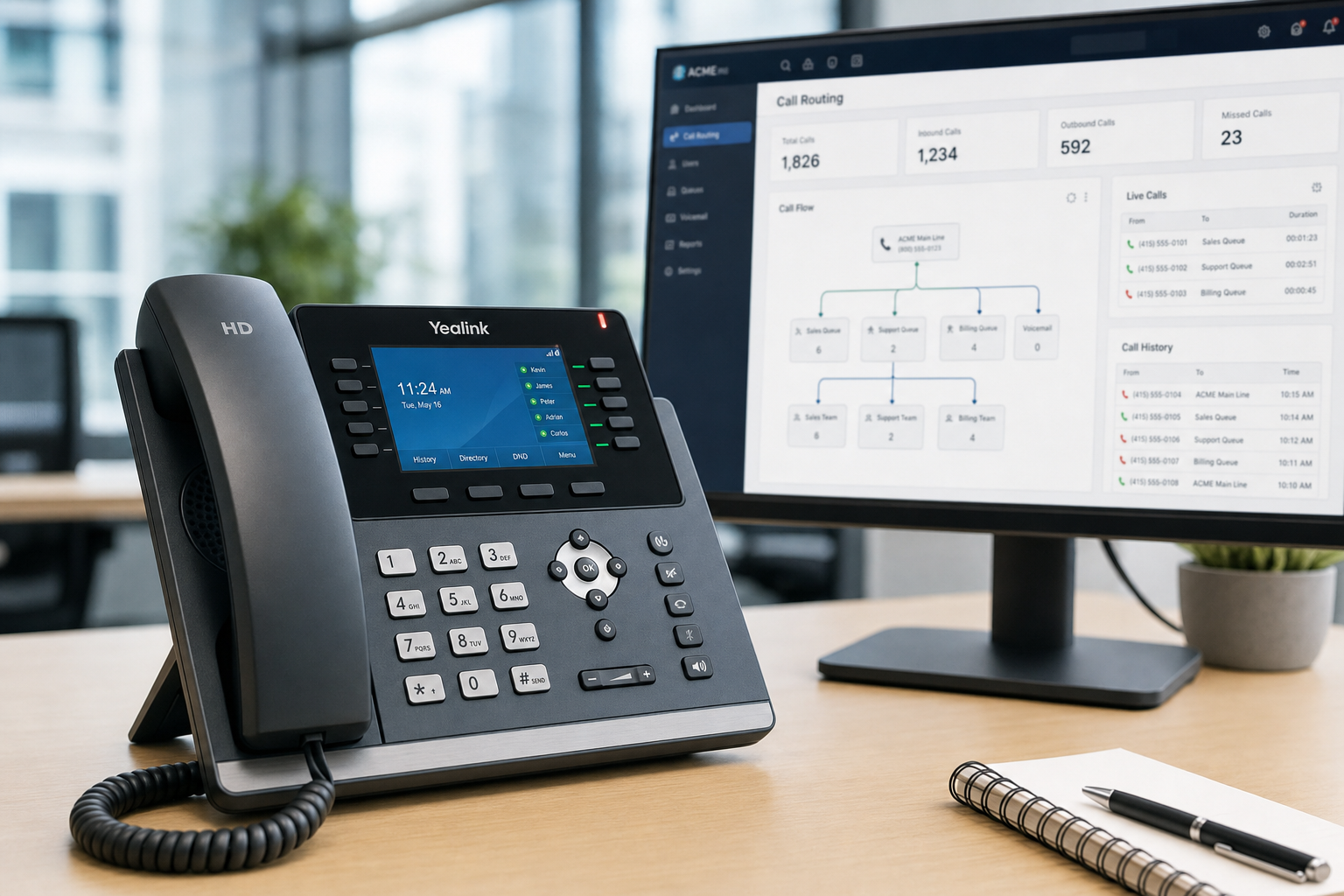
A call queue holds incoming callers in a virtual waiting line and connects them to the next available agent in order. Callers hear hold music or a recorded message while they wait. Agents are pulled from the queue one at a time as they become free.
When a call queue is the right choice
Call queues are built for volume. If your sales team, customer service desk, or billing department regularly receives more calls than available agents at any given moment, a queue prevents callers from hitting voicemail or getting a busy signal. Instead of losing that call, you hold it — and your team works through the line systematically.
For Florida businesses in high-call-volume industries — property management companies in Orlando, insurance agencies in Tampa, or service contractors across the Gulf Coast — a properly configured VoIP call queue setup can be the difference between a booked appointment and a lost lead.
Key call queue settings to configure
- Max wait time: How long a caller stays in queue before being sent to voicemail or an overflow destination.
- Queue position announcements: Telling callers their place in line reduces hang-ups.
- Agent ring strategy: Round-robin distributes calls evenly; skills-based routing sends calls to the most qualified agent first.
- Overflow routing: Where calls go if the queue is full or wait time exceeds your threshold — a voicemail box, another department, or an after-hours message.
- Wrap-up time: A brief pause after each call so agents can complete notes before the next call arrives.
What Is a Ring Group and When Does It Make Sense?
A ring group (sometimes called a hunt group) rings multiple extensions simultaneously or in sequence when a single number is dialed. The first person to pick up gets the call. There is no waiting line — if nobody answers, the call moves to voicemail or another destination.
When a ring group is the right choice
Ring groups work best for small teams where any available person can handle the call equally well. A front desk with two or three receptionists, a small sales pod, or a facilities team where any technician can respond — these are natural ring group scenarios.
Ring groups are also useful as an overflow destination for a call queue. If your queue reaches its limit, overflow calls can ring a secondary group of agents who are not actively working the queue.
Ring group strategies
- Simultaneous ring: All phones in the group ring at once. Fastest answer time, but can create confusion about who should pick up.
- Sequential (linear) hunt: Rings the first extension, then the second if unanswered, then the third. Good when there is a clear priority order.
- Round-robin: Rotates the starting point with each call so the same person is not always first.
What Is an Auto Attendant and Who Needs One?
An auto attendant is an automated phone menu that greets callers and routes them based on their input. “Press 1 for Sales, press 2 for Support, press 3 for Billing” — that is an auto attendant. It handles routing decisions before any human involvement, which means it works around the clock, including after hours, weekends, and during Florida hurricane-season disruptions when staff may be working remotely.
When an auto attendant is the right choice
Any business with more than one department, more than one location, or a need for after-hours call handling should have an auto attendant. It removes the burden from a front-desk receptionist who would otherwise manually transfer every call, and it ensures callers reach the right team without being bounced around.
For multi-location Florida businesses — say, a law firm with offices in Orlando and Jacksonville, or a medical practice with locations in Winter Garden and Tampa — an auto attendant can route callers to the correct location’s team without the caller needing to know which number to dial.
Auto attendant best practices
- Keep menus to four options or fewer at the top level. Longer menus increase caller frustration and hang-ups.
- Always include a “press 0 for the operator” option for callers who do not know which department they need.
- Record a separate after-hours greeting that sets clear expectations — hours of operation, emergency contact if applicable, and when to expect a callback.
- Test every menu path before going live. A misconfigured route that sends callers to a dead extension is a common and avoidable problem.
Matching Call Routing to Your Florida Office Workflow
Sales teams
Sales lines benefit most from call queues with round-robin distribution. Every lead gets answered in order, every agent gets a fair share of inbound calls, and no call disappears because one agent’s line was busy. Pair the queue with an auto attendant that routes “new customer” callers directly to the sales queue while existing customers go to service.
Customer service and support
Service desks often need skills-based routing within a queue — routing callers with billing questions to billing-trained agents, and technical issues to technical staff. Queue position announcements and estimated wait times reduce hang-ups on high-volume service lines.
Reception and front desk
A small reception team is a natural ring group. Simultaneous ring across two or three desk phones means the first available person answers. If nobody answers within a set number of rings, the call can overflow to an auto attendant or a voicemail box with a clear callback promise.
After-hours and remote coverage
Florida businesses face real after-hours challenges — hurricane evacuations, extended storm closures, and staff working from home. An auto attendant with a time-based routing rule automatically switches to an after-hours greeting and routes calls to mobile softphones or an on-call voicemail box without any manual intervention. Mynians VoIP includes mobile and desktop softphones so your team can stay reachable from anywhere.
Common VoIP Call Routing Setup Mistakes and How to Avoid Them
No overflow destination on queues
If a queue fills up or a caller waits too long with no overflow rule, the call drops silently. Always configure a tested overflow destination — a voicemail box, a secondary ring group, or an after-hours message.
Auto attendant menus that are too deep
Multi-level menus with five or six options at each level frustrate callers. Keep the top level simple. If a caller cannot find their option in four choices, they will press 0 or hang up.
Ring groups with no timeout rule
A ring group that rings indefinitely with no voicemail fallback leaves callers in limbo. Set a ring timeout — typically 20 to 30 seconds — and define exactly where the call goes if nobody answers.
Porting delays that break routing mid-transition
Number porting is one of the most stressful parts of switching phone systems. If porting is mishandled, your main business number can go dark for hours or days. Mynians VoIP handles number porting end-to-end, including coordination with your current carrier, so your routing stays intact through the transition. The FCC has published consumer guidance on porting rights — knowing those rules helps you hold carriers accountable during a transfer.
No testing before go-live
Every call path — queue overflow, ring group timeout, auto attendant menu option — should be tested with a real phone call before the system goes live. A misconfigured route discovered on day one by a real customer is a problem that could have been caught in 20 minutes of pre-launch testing.
Who This Is For — and Who It Is Not
This guide is for you if:
- You manage a Florida office with five or more phone lines and inbound call volume that regularly overwhelms your front desk or team.
- You are switching from a legacy PBX or a national carrier and want to understand how cloud-based call routing actually works before you commit.
- You have multiple departments — sales, service, billing, reception — and callers frequently end up in the wrong place.
- You need after-hours coverage, remote-work call routing, or hurricane-season failover built into your phone system.
- You are evaluating business VoIP options and want to understand what you are actually buying before signing anything.
This guide is NOT for you if:
- You are a solo operator or a one-person office with minimal inbound call volume — a basic hosted line with voicemail is likely all you need.
- You are looking for a DIY softphone app with no support — Mynians VoIP is a managed service with a local team, not a self-service platform.
- You need a consumer phone plan — Mynians VoIP is built for Florida businesses with a minimum of five licensed users.
How Mynians VoIP Handles Call Routing Design
Mynians VoIP is the Florida business phone division of Mynians, a Winter Garden, Florida technology company serving businesses since 1999. We serve businesses across Orlando, Winter Garden, Tampa, Miami, Jacksonville, and surrounding markets.
When you work with us, call routing design is not an afterthought — it is part of the installation. Our local Orlando-based team reviews your current inbound call flow, maps out your departments and coverage hours, and configures your queues, ring groups, and auto attendant before your system goes live. We test every path. We do not hand you a login and wish you luck.
What the free consultation covers
- A review of your current phone bill to identify what you are actually paying per line versus what you need.
- A per-licensed-user quote based on your actual headcount and call volume — plans start at $22.95 per licensed user/month on the Essential plan (five-licensed-user minimum), $29.95 per licensed user/month Professional, and starting at $39.95 per licensed user/month Enterprise (ten-licensed-user minimum).
- A call routing design recommendation — queue, ring group, auto attendant, or a combination — based on your specific workflow.
- A clear answer on porting: whether your numbers can transfer, how long it takes, and what we handle on your behalf.
- Install timeline: 72-hour installs across major Florida markets when your site is ready.
There are no contracts. No surprise bills. If your network needs cabling or switch upgrades before VoIP will perform reliably, our wider Mynians team handles structured cabling and managed IT as well — one local team for the whole project.
For businesses with HIPAA call-handling requirements, we configure compliant call flows as part of the design process. For businesses concerned about uptime during Florida storm season, our systems are built with failover configuration that we test with you before storm season; we put the outage plan in writing rather than publishing an uptime percentage. The Cybersecurity and Infrastructure Security Agency (CISA) recommends that businesses maintain communications continuity plans — a properly configured VoIP system with failover routing is a practical part of that plan.
For technical standards on VoIP protocol implementation, the Internet Engineering Task Force (IETF) publishes the SIP and RTP specifications that underpin every hosted VoIP system — worth understanding if you are evaluating how a provider’s infrastructure is built.
Frequently Asked Questions
What is the difference between a call queue and a ring group?
A call queue holds callers in a waiting line until an agent is available, making it ideal for high-volume sales or service lines. A ring group rings multiple extensions at once or in sequence, and the first person to answer gets the call — better suited for small teams where any available person can respond. There is no holding line in a ring group; if nobody answers, the call moves to voicemail or another destination.
Do I need an auto attendant if I already have a receptionist?
Yes, in most cases. An auto attendant handles after-hours routing, overflow when your receptionist is on another call, and direct routing for callers who already know which department they need. It reduces the manual transfer burden on your receptionist and ensures calls are handled consistently even when your front desk is unavailable.
How long does VoIP call queue setup take with Mynians VoIP?
Most Mynians VoIP installs go live within 72 hours once the site is ready and the numbers clear to port; the system is built and tested before the scheduled cutover. Call routing configuration, including queues, ring groups, and auto attendant menus, is handled by our local team as part of the installation process.
What happens to my existing phone numbers when I switch to VoIP?
Mynians VoIP handles number porting end-to-end, including coordination with your current carrier. Your existing business numbers transfer to the new system. We manage the process so your main number does not go dark during the transition. Porting timelines vary by carrier, but we keep you informed at every step.
How much does VoIP call routing cost with Mynians VoIP?
Call queues, ring groups, and auto attendants are included in Mynians VoIP plans — they are not add-ons. Plans start at $22.95 per licensed user per month on the Essential plan with a five-licensed-user minimum, $29.95 per licensed user per month on Professional, and starting at $39.95 per licensed user per month on Enterprise with a ten-licensed-user minimum. There are no contracts. A free consultation includes a bill review and a per-licensed-user quote based on your actual needs.
Can VoIP call routing handle after-hours and hurricane-season disruptions?
Yes. Auto attendants support time-based routing rules that automatically switch to an after-hours greeting and route calls to mobile softphones, voicemail, or an on-call destination without manual intervention. Mynians VoIP systems include failover configuration that is tested with you before storm season, with the outage plan put in writing rather than an uptime percentage.
Update Log
- August 2026: Created and reviewed for Mynians VoIP business phone system accuracy.


