
Call Forwarding vs Ring Groups vs Hunt Groups
Missed calls cost Florida businesses real money. Whether you run a busy reception desk in Orlando, a service department in Tampa, or a multi-location operation stretching from Jacksonville to Miami, how your phone system distributes incoming calls determines whether customers reach someone or hang up. This guide breaks down three core call distribution methods — call forwarding, ring groups, and hunt groups — so you can pick the right setup for your team and stop losing calls to poor routing.
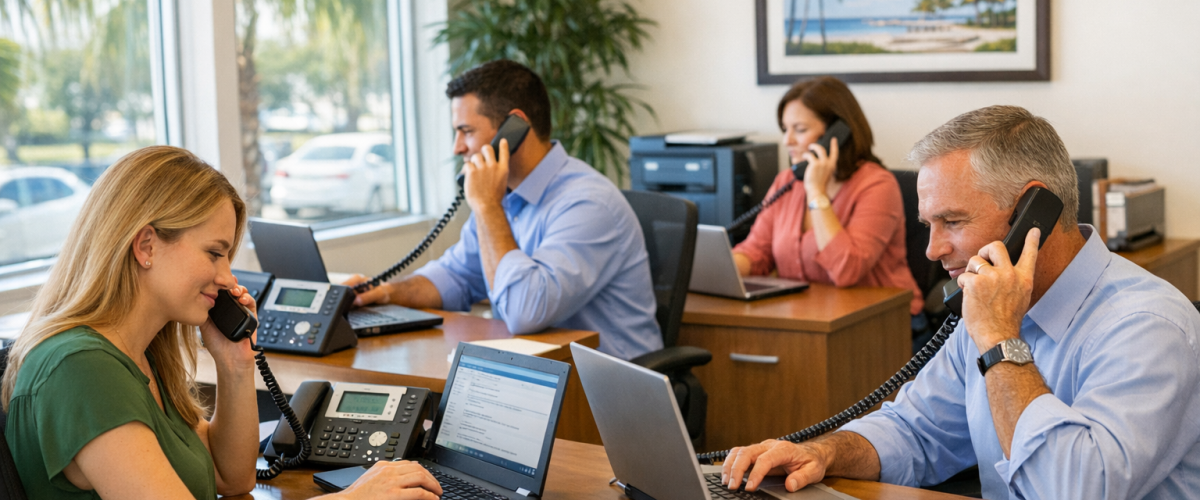
Call forwarding redirects a single line to another number or device. Ring groups ring multiple phones at once so the first available person answers. Hunt groups ring phones in a defined sequence until someone picks up. For most Florida offices, ring groups handle front-desk and team coverage best, while hunt groups work well for tiered service departments. A properly configured business VoIP system can run all three simultaneously depending on the department.
- Call forwarding is best for individual lines and after-hours coverage, not team-wide distribution.
- Ring groups are ideal for front desks and small teams where any available person should answer.
- Hunt groups work best for service departments that need tiered or priority-based routing.
- Most Florida offices need a combination of all three, not just one.
- Misconfigured routing is one of the top reasons businesses lose calls — and customers — without realizing it.
- Mynians VoIP plans start at $22.95 per licensed user per month with no contracts and 72-hour installs across major Florida markets.
Quick Comparison: Call Forwarding vs Ring Groups vs Hunt Groups
Before diving into the details, here is a side-by-side look at how these three methods differ in practice.
| Feature | Call Forwarding | Ring Groups | Hunt Groups |
|---|---|---|---|
| How it works | Redirects one line to another number or device | Rings all assigned phones at the same time | Rings phones one by one (or in tiers) in a set order |
| Best for | Individual coverage, after-hours, mobile backup | Reception desks, small teams, shared coverage | Service departments, tiered support, priority routing |
| Missed call risk | High if forwarding destination is unavailable | Low — first available person answers | Low — moves to next agent if unanswered |
| Setup complexity | Low | Low to medium | Medium |
| Works with auto-attendant | Yes | Yes | Yes |
| After-hours routing | Yes (manual or scheduled) | Yes (with time-of-day rules) | Yes (with overflow to voicemail or on-call) |
| Multi-location support | Limited | Yes | Yes |
| Typical use case | Owner’s cell, remote worker backup | Front desk, sales team, dispatch | IT helpdesk, customer service queue, billing dept. |

What Is VoIP Call Forwarding?
Call forwarding takes an incoming call on one number and redirects it to a different number or device. On a VoIP system, this can be a cell phone, a softphone app, another office extension, or even a voicemail box. It is the simplest form of call routing and the one most business owners already know.
Types of Call Forwarding
- Unconditional forwarding: Every call goes directly to the forwarding destination, no ringing at the original line.
- Busy forwarding: Calls forward only when the line is already in use.
- No-answer forwarding: Calls forward after a set number of rings with no pickup.
- Time-of-day forwarding: Calls route to a different destination after hours or on weekends — useful for Florida businesses that close early on Fridays or have reduced Saturday hours.
Where Call Forwarding Works Well
Call forwarding is practical for a solo practitioner, a business owner who needs calls to follow them to their cell, or a small office where one person handles all inbound calls. It is also a solid backup layer — if your main office line goes unanswered, forwarding to a mobile number prevents a dropped opportunity.
Where Call Forwarding Falls Short
Forwarding is a one-to-one solution. It does not distribute calls across a team. If the forwarding destination is busy, unavailable, or simply does not answer, the call is lost unless you have a voicemail fallback configured. For any office with more than two or three people handling calls, forwarding alone creates gaps.
One of the most common problems we see when businesses switch to us from a national carrier is that their call forwarding was set up years ago and nobody updated it. Calls were forwarding to a cell phone that belonged to a former employee. That is not a carrier problem — it is a configuration problem. On a properly managed cloud PBX, you can update forwarding rules in minutes from a web portal, and we walk every client through that during setup so it does not happen again.
What Are Ring Groups?
A ring group assigns multiple phones or extensions to a single inbound number. When a call comes in, every phone in the group rings at the same time. The first person to pick up takes the call. Everyone else stops ringing.
Ring Groups in Practice
Picture a five-person reception desk at a medical office in Orlando. When a patient calls the main number, all five desk phones ring simultaneously. Whoever is available answers. No one caller waits while the phone rings at an empty desk. This is simultaneous ring, and it is the most common ring group configuration for front-desk and small-team environments.
Ring groups also work well for sales teams, dispatch operations, and any department where coverage matters more than routing to a specific person. They reduce missed calls without requiring a dedicated receptionist to be available at all times.
Ring Group Configuration Options
- Simultaneous ring: All phones ring at once.
- Round-robin: Calls rotate through group members evenly to distribute workload.
- Overflow to voicemail or another group: If no one answers within a set time, the call routes to a voicemail box or a backup group.
- Time-of-day rules: After-hours calls can route to a different ring group, an on-call mobile, or a recorded message.
Not sure which call distribution setup fits your office? Our team reviews your current call flow at no charge and builds a line-by-line quote. Schedule a free VoIP consultation

What Are Hunt Groups?
Hunt groups route calls through a defined sequence of extensions or agents. Instead of ringing everyone at once, the system tries the first agent, waits a set number of seconds, then moves to the next if there is no answer, and continues down the list until someone picks up or the call reaches an overflow destination.
Hunt Group Patterns
- Linear (top-down): Always starts at the first agent in the list. The same person gets most calls unless they are unavailable. Useful when you have a primary contact and backups.
- Circular (round-robin): Starts where the last call left off, distributing load more evenly across the team.
- Longest idle: Routes to the agent who has been waiting the longest since their last call. Common in service departments and call queues.
Hunt Groups in Practice
Consider a service department at a Tampa HVAC company. When a customer calls for support, the system tries the lead technician first. If they do not answer within 15 seconds, it moves to the second technician, then the third. If no one answers, the call drops into a queue with hold music and a callback option. This prevents customers from reaching a dead end while giving the team flexibility to handle field work without missing office calls.
Hunt groups are also common in multi-location Florida businesses. A call to the main number can hunt across staff in Orlando, Winter Garden, and Tampa until someone picks up — without the caller knowing or caring which location answered.
Hunt Groups vs Call Queues
Hunt groups and call queues are related but not identical. A hunt group tries each agent and moves on. A call queue holds callers in line and distributes them as agents become available. For high-volume inbound operations, a queue with a hunt-style distribution pattern is often the right answer. Mynians VoIP supports both as part of its cloud PBX configuration.
Which Setup Fits Your Florida Office?
Small Teams (2–5 People)
A ring group with simultaneous ring is usually the right starting point. Everyone hears the call, the fastest available person answers, and you avoid the complexity of managing a hunt sequence. Add time-of-day forwarding to a mobile number for after-hours coverage and you have a solid, low-maintenance setup.
Reception Desks and Front-Office Operations
Ring groups with round-robin distribution keep workload balanced across reception staff. Pair this with an auto-attendant that handles basic routing before the call even reaches the group — press 1 for appointments, press 2 for billing — and your front desk handles only the calls that actually need a human. This is a common configuration for Orlando medical offices, law firms, and property management companies.
Service Departments and Tiered Support
Hunt groups with linear or longest-idle routing work best here. Route calls to your most experienced agent first. If they are unavailable, the next qualified person picks up. Overflow to a voicemail box with a callback promise rather than letting callers hit a dead ring. For HVAC companies, IT firms, and contractors across Florida, this setup keeps service calls from falling through the cracks during busy seasons.
Multi-Location Businesses
A combination approach works best. Use an auto-attendant to route by department or location, ring groups within each location for shared coverage, and hunt groups for escalation paths. Mynians VoIP handles multi-location configurations across Florida — including businesses with offices in Orlando, Tampa, Miami, and Jacksonville — on a single cloud PBX platform with one support contact.

Common Setup Mistakes and How to Avoid Them
- No overflow destination: If a ring group or hunt group exhausts all agents with no fallback, the call disconnects. Always configure a voicemail box or backup number as the final step.
- Outdated forwarding rules: Forwarding to a former employee’s cell or a disconnected number is a silent call killer. Audit forwarding rules every time staff changes.
- Ring timeout too short: Setting a 5-second ring window before moving to the next agent means callers hear constant clicking and feel like they are being shuffled. Ten to fifteen seconds per agent is a more realistic threshold.
- No after-hours routing: Florida businesses that close at 5 PM and send calls to a ringing desk phone after hours are losing after-hours leads. Time-of-day rules cost nothing extra on a cloud PBX and take minutes to configure.
- Ignoring hurricane-season failover: Florida offices face real weather disruptions. A VoIP system without a failover plan — such as routing to mobile softphones or a backup data center — goes dark when the power does. Mynians VoIP includes failover and redundancy configuration as part of its setup process.
The FCC’s business continuity guidance recommends that businesses maintain documented call routing plans and test them before outages occur — not after.
Who This Is For — and Who It Is Not
This guide is for you if:
- You manage a Florida office with two or more people handling inbound calls.
- You are losing calls because your current phone system has no real distribution logic.
- You are evaluating a move from a legacy PBX or a national carrier to a cloud-based system.
- You need after-hours routing, multi-location coverage, or department-level call handling.
- You want clear per-licensed-user pricing without a long-term contract.
This guide is NOT for you if:
- You are a solo operator with one line and no team — basic call forwarding to your cell is probably enough for now.
- You are looking for a consumer VoIP app rather than a business phone system with support.
- You need a contact center platform with hundreds of agents — that is a different product category entirely.
How Mynians VoIP Configures Call Distribution
Mynians VoIP is the Florida business phone division of Mynians, a Winter Garden, Florida technology company in business since 2007. When a Florida business signs on, the setup process includes a review of current call flow, identification of missed-call gaps, and configuration of forwarding rules, ring groups, hunt groups, and auto-attendants as needed — not as add-ons, but as part of the standard build.
Plans start at $22.95 per licensed user per month on the Essential tier (five-licensed-user minimum), $29.95 on Professional, and starting at $39.95 on Enterprise (ten-licensed-user minimum). There are no contracts. Installs run within 72 hours across major Florida markets when the site is ready. Number porting is handled end-to-end — you do not manage the carrier paperwork. Support comes from a local Orlando-based team, not a national call center.
If you are currently on a national carrier with a confusing bill and routing that nobody has touched in years, a free consultation includes a bill review and a line-by-line quote. Exact savings depend on your current setup and are confirmed during that call — we do not publish estimates that may not apply to your situation.
See current pricing at voip.mynians.com/pricing or call (407) 374-2782 to speak with a real tech.
If your Florida office is losing calls to bad routing, outdated forwarding rules, or a phone system that was never properly configured, we can fix that. The free consultation includes a review of your current call flow, a bill comparison, and a line-by-line quote — no obligation.
Frequently Asked Questions
What is the difference between a ring group and a hunt group?
A ring group rings all assigned phones at the same time, and the first person to answer takes the call. A hunt group rings phones in a defined sequence — one at a time or in tiers — moving to the next agent if the current one does not answer within a set window. Ring groups are better for shared coverage where any available person should answer. Hunt groups are better for tiered service departments where routing order matters.
Can I use call forwarding and a ring group at the same time?
Yes. On a cloud PBX, you can run call forwarding on individual extensions while also assigning those extensions to a ring group. For example, a staff member’s desk phone can be part of a ring group for main-line calls, while their personal extension forwards to their cell when they are away from the desk. These rules work independently and can be updated without affecting each other.
How do I handle after-hours calls in Florida?
Time-of-day routing rules on a cloud PBX let you define business hours and automatically redirect calls after hours. Common options include routing to a voicemail box with a professional greeting, forwarding to an on-call mobile number, or playing a recorded message with your hours and emergency contact. This is a standard configuration on Mynians VoIP and takes minutes to set up during the initial install.
What happens to my current phone numbers when I switch to VoIP?
Your existing numbers can be ported to the new VoIP system. Mynians VoIP handles number porting end-to-end, including all carrier paperwork. Porting timelines vary by carrier but typically take one to two weeks. During the porting window, your current numbers remain active so you do not miss calls during the transition.
How much does a business VoIP system cost in Florida?
Mynians VoIP plans start at $22.95 per licensed user per month on the Essential tier with a five-licensed-user minimum. The Professional tier is $29.95 per licensed user per month, and the Enterprise tier is $39.95 per licensed user per month with a ten-licensed-user minimum. There are no long-term contracts. Exact costs depend on your line count, features, and current carrier situation, which is reviewed during the free consultation.
Related: VoIP system cost in Florida
Does VoIP work during Florida hurricanes and power outages?
A properly configured VoIP system includes failover routing that redirects calls to mobile softphones or backup numbers when the primary office location loses power or internet. Mynians VoIP includes failover and redundancy configuration as part of its setup process. The FCC recommends that businesses document and test their call routing continuity plans before outages occur.
Choosing devices for each role? Compare desk phones, mobile apps and browser calling before you assign extensions.
Update Log
- August 2026: Created and reviewed for Mynians VoIP business phone system accuracy.
